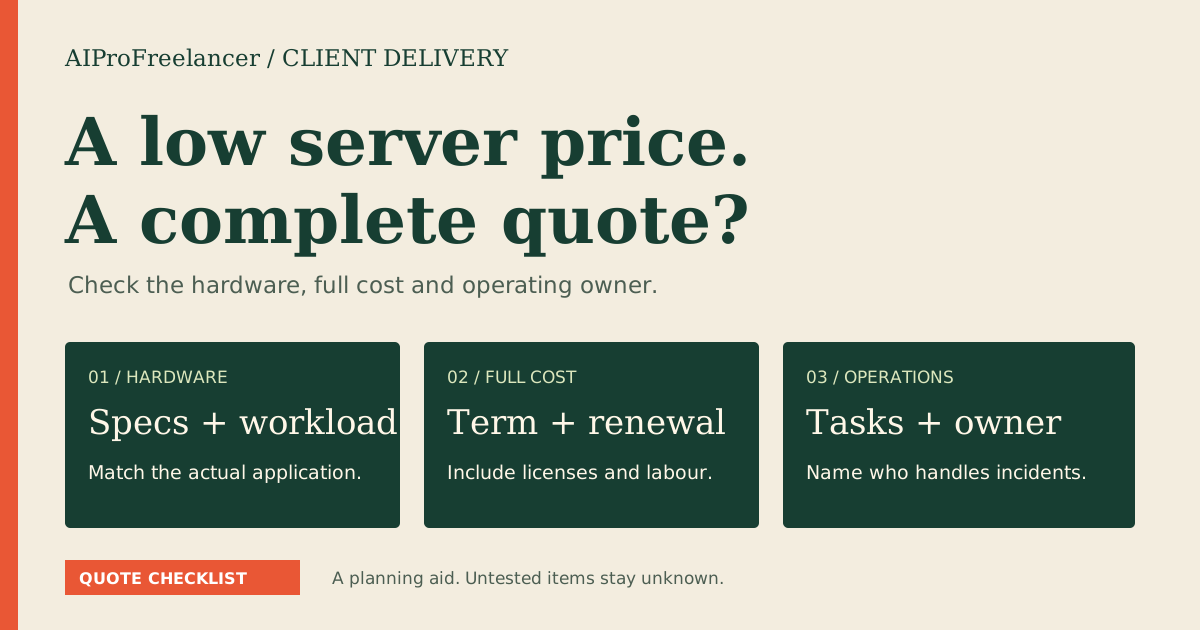
Best for a small Windows-only application: shortlist UltaHost Basic; choose Business when your software needs more memory. Pick Hostinger instead only when your workload supports Linux and you can manage the server yourself. For UltaHost, settle the billing term and remote-user licensing before ordering.
Affiliate disclosure: Some links are affiliate links. We may earn a commission on qualifying purchases. Read our disclosure .
Based on official pricing and documentation checked November 9, 2026; recommendations are buying judgments, not hands-on performance results.
UltaHost Windows VPS plans: which tier makes sense?
| Option | Displayed price | CPU / RAM / NVMe | Best fit | Main purchase limitation |
|---|---|---|---|---|
| Basic Windows VPS | $16.10/month | 2 cores / 2 GB / 50 GB | A narrow Windows-only task | Little memory headroom for additional applications |
| Business Windows VPS | $24.14/month | 2 cores / 4 GB / 80 GB | Software needing more memory | More RAM does not add CPU cores |
| Professional Windows VPS | $33.93/month | 3 cores / 6 GB / 150 GB | A larger application and data footprint | Higher recurring commitment |
| Hostinger KVM VPS | Check current pricing for Linux | Depends on Linux tier | Linux-compatible websites and automation | Windows VPS is not available |
The UltaHost cards state renewal at these rates for two years. A separate banner shows $16.24/month, so use the selected order to resolve the mismatch. The page advertises a refund guarantee, not a verified free trial. Sources: UltaHost Windows plan specifications and pricing , checked November 9, 2026; Hostinger server capability documentation , checked November 9, 2026.
My buying recommendation: start by matching the application vendor’s recommended memory and storage requirements. Basic is a candidate for a tightly scoped job, not an automatic recommendation for every remote desktop. Business is the more sensible shortlist when the application and its background processes leave little spare memory on Basic. Professional deserves consideration when both compute and storage requirements grow.
Write down the actual job before selecting a tier: the application, expected concurrent activity, data size, and who will maintain it. A server that only opens a small utility has a different purchasing case from one that runs a database alongside a desktop application. Resource allocations alone cannot establish responsiveness.
For a wider provider shortlist, use our Windows VPS cost comparison . This guide focuses on turning an UltaHost shortlist into an order and a working remote connection.
Windows license cost: what is included?
UltaHost’s FAQ says its Windows VPS plans include a licensed Windows Server Standard edition, with the operating-system purchase cost covered by UltaHost. It does not establish an unlimited multi-user desktop license. Source: UltaHost Windows licensing FAQ , checked November 9, 2026.
Ask for the exact Windows release on the order and confirm that your application supports it. Do not buy solely because a provider offers an older image: compatibility, security maintenance and the application’s support policy all matter to the useful life of the server.
Separate the operating system from remote application delivery. Microsoft’s documentation describes RDS client access licenses for users or devices connecting to an RDS session host. Source: Microsoft RDS client access licensing documentation , checked November 9, 2026. Ask the provider to confirm the applicable hosted licensing arrangement for your intended users; do not treat successful administrator access as proof that staff desktops are covered.
Application licenses belong in the budget too. If you intend to install paid desktop software, ask its vendor whether hosted use is permitted. Keep that answer with the order so another operator can maintain the environment without having to reconstruct the purchasing decision.
Compare the full payment, not just the monthly rate
Request an itemized quote with the billing period, initial payment, renewal, operating-system inclusion, required add-ons and applicable taxes. Keep optional upgrades separate so you can see the minimum cost of the configuration that actually meets your needs.
Use this budgeting formula: effective monthly cost = total mandatory term cost / months covered. That is a comparison method, not a checkout quote. A monthly equivalent does not tell you whether the provider collects payment monthly or upfront.
Before accepting a longer commitment, identify the cheapest acceptable way to validate the application. Read the refund conditions for the selected service and payment method. A refund policy should not substitute for compatibility planning, especially when setup work or separately licensed software creates costs beyond the server itself.
For the broader purchase checklist, read our UltaHost pricing guide . Save the selected configuration and invoice rather than relying on a promotional headline you may not be able to reproduce later.
Who should choose UltaHost / who should not
Choose UltaHost for evaluation when a Windows-specific application is essential and you prefer a provider offering the operating system with the server. Give support a concrete workload description and ask which maintenance tasks they perform. The word managed is most useful when translated into named responsibilities.
Choose Business over Basic when the application requirements or expected background tasks justify more memory. Keep Basic on the shortlist when its capacity fits the documented workload and your evaluation confirms adequate room for updates and normal activity.
Do not choose Windows just for familiarity if the workload is a Linux-compatible web service and you already have Linux administration skills. Hostinger is a named alternative for that case, but it does not supply the Windows environment described here.
Do not buy this as an assumed shared staff desktop. Resolve access licensing, account ownership and recovery responsibilities first. Similarly, anyone expecting guaranteed application speed from a plan name should validate a representative workload before making a long commitment.
Compare UltaHost plans for your Windows application
RDP setup: from server details to a verified connection
Still deciding between a rented desktop session and a virtual machine? Our RDP vs Windows VPS comparison explains installation rights, session limits and recovery checks for MT5 and bots.
Prepare the server address, assigned account and the provider’s recovery-console instructions. Keep credentials in your password manager, not in screenshots or a client handoff document. The following is a standard Windows connection workflow; exact provider-panel labels can differ.
- Confirm the target. Match the server address and Windows edition to the order. Establish how you will reach the provider’s console if remote access stops working.
- Check access settings. On the server, enable Remote Desktop if necessary and authorize the intended account. Use a strong, unique password and retain Network Level Authentication.
- Limit network exposure. Prefer a VPN or restrict the remote-access firewall rule to trusted source addresses. Check both the provider firewall and Windows firewall; avoid disabling either as a troubleshooting shortcut.
- Connect from Windows. Open Remote Desktop Connection, enter the server address, choose Connect and supply the assigned credentials. If a certificate warning appears, verify the destination and certificate details through a trusted provider channel before proceeding.
- Check the session. Confirm you reached the expected machine, update initial credentials where required, and record the operating-system version without including secrets.
Source for the Windows settings, client workflow and NLA recommendation: Microsoft Remote Desktop connection documentation , checked November 9, 2026. Network restrictions and recovery checks above are our deployment recommendations.
If connection fails, separate reachability from authentication. A timeout suggests checking the address, server power and firewall path. A credential failure calls for verifying the username and access permission through the recovery console. Avoid repeatedly guessing passwords or weakening authentication to make a connection succeed.
How to test it yourself in 15 minutes
Use this as an initial screening session after provisioning, with non-sensitive sample data. Installation or updates can take longer; this time box does not prove reliability.
- Match the allocated resources and Windows release to the order.
- Connect through the approved RDP path and open the application’s official installer or existing installation.
- Run a representative task while observing memory and disk activity in Task Manager. Write down the workload, not just an isolated screenshot.
- Disconnect and reconnect. Check the state of your application rather than assuming that closing the remote window stops or preserves every job.
- When safe, restart the server and verify the application’s required startup behavior. Schedule a separate backup-and-restore exercise before adding production data.
For trading software, our Forex VPS buying guide adds demo-workload and connectivity checks. Keep that evaluation separate from any claim about financial returns.
FAQ
Is the Windows license included with UltaHost VPS?
The Windows VPS FAQ says Windows Server Standard is included. Confirm the specific release in your order and ask separately about any remote-user or application licensing your deployment needs.
Should I choose Basic or Business?
Choose by the application’s recommended requirements and your evaluation workload. Basic suits a narrower job; Business is the stronger shortlist when memory headroom is the concern. Neither plan name proves application speed.
Can I connect using Remote Desktop?
Yes, once the server permits remote access, your account is authorized and the network path is allowed. Use the assigned address in the Windows Remote Desktop Connection client and verify the destination before sharing credentials.
Can several employees share the Windows VPS?
Do not infer that from the included operating-system license. Give the provider your user count and application-delivery model and request the appropriate licensing and configuration quote before deploying staff access.
Is Hostinger a Windows VPS alternative?
Only if you can change the workload to Linux. Its documentation says Windows VPS is unavailable, so a Linux price is not a substitute quote for the same Windows application.
Final choice
Shortlist Basic for a focused Windows-only task, Business for additional memory, and Professional when the workload justifies more compute and storage. Confirm the full invoice, license scope and recovery route, then validate your application before committing production work.
Start with UltaHost plans and confirm your Windows configuration