A project board needs to show who owns the work, what evidence makes a task complete and what happens when a deadline changes. Before buying Monday.com, define those rules and identify the person who will maintain them.
Updated October 9, 2026. This is a source-based buying guide and an original acceptance checklist. Earlier ratings, comparative winners and unmeasured claims of hours saved have been removed. We have not benchmarked team adoption, AI quality or delivery time against competing tools.
Check the plan and allowances separately
The official pricing page , checked October 8, lists Free with up to two seats and three boards. Standard lists 250 automation actions and 250 integration actions per month; Pro lists 25,000 for each. AI credits are shown separately from these action allowances.
The page places guest access on Standard and private boards/docs on Pro. A free viewer is described as read-only. Confirm which role each client or collaborator needs rather than treating viewers, guests and members as interchangeable.
Displayed totals depend on team size, billing term, currency and AI selections. The retrieved page showed a ten-seat example in euros, so this guide does not repeat the previous dollar table as a universal quote. Obtain the account-specific total, minimum billed seats and renewal conditions before committing.
Write the operating rules before building a board
For a freelance client engagement, start with a small set of deliverables. The following is an original requirements template, not a tested Monday configuration.
| Requirement | Decide in advance | Evidence of completion |
|---|---|---|
| Ownership | One person responsible for the next action | An owner who has accepted the task |
| Scope | What output the client receives | A written acceptance criterion |
| Status | What each status actually means | The required file, review or approval |
| Dates | Who may change a due date | An agreed change and updated dependency |
| Notification | Who needs to act on a change | A verified destination and escalation route |
| Reporting | Which records count as complete | A total reconciled to known tasks |
Avoid using a colour or a checked box as the only evidence that a deliverable was accepted. Keep the actual output and approval with the task.
A proposed workflow acceptance exercise
This exercise has not been carried out for this review. Use fictional tasks and authorised test accounts.
- Create five labelled tasks: new, in progress, awaiting review, blocked and complete.
- Write the expected owner, visibility and next action for each.
- Change one status and verify the intended notification and resulting record.
- Repeat a change and inspect whether it produces duplicate or unintended actions.
- Test a missed deadline and a blocked dependency. Record who receives the exception.
- Reconcile a report against the five known inputs.
- Export the records the client needs and document what the export does not preserve.
Record the plan and action consumption with the test results. A notification arriving once does not prove that the whole workflow will remain correct under every future change.
Budget actions and AI review
Estimate recurring workflow usage from the actual trigger frequency and actions required. Separate integration actions, automation actions and AI consumption. Confirm how the selected account handles each allowance and who approves additional spending.
If AI proposes a task list, formula or summary, compare it with the original brief before applying it. Test calculations with known inputs. An apparently plausible formula can still implement the wrong rule.
Measure preparation, corrections and exception handling before promising savings to a client. This review does not establish that an AI feature replaces a project manager or reduces a weekly reporting workload by a particular amount.
Verify client visibility and handoff
Inspect the actual permissions for the chosen board and plan. Test with an authorised client-like account; an administrator seeing the correct board is insufficient. Check attached files, updates, linked records and exports as well as the task list.
Agree who owns billing, integrations, renewal decisions and workflow maintenance. Record how the client will recover from a failed connection or a departed owner. Exporting task rows does not establish that dashboards, permissions or automations can be recreated elsewhere.
Pair the board with the client website handoff checklist when the deliverable is a website, and the meeting-notes acceptance checklist when decisions originate in calls.
Price the full project
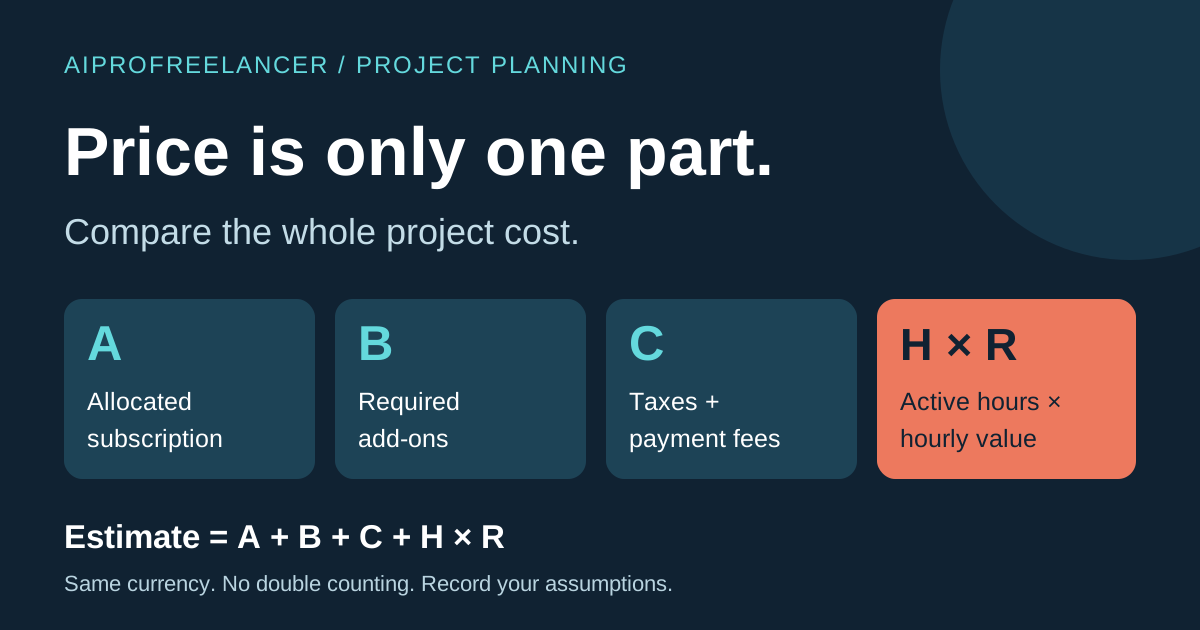
Use the project-cost worksheet to include billed seats, AI usage, configuration, testing, training and ongoing support. Keep the initial workflow small enough that its owner can explain it and handle exceptions.
Check Monday.com’s current pricing after documenting the required roles, actions and handoff. Choose the plan that passes those requirements rather than a generic category ranking.
These are ordinary vendor links. We have not verified an AIProFreelancer Monday affiliate link; visits or purchases through these URLs do not establish commission attribution to this website.