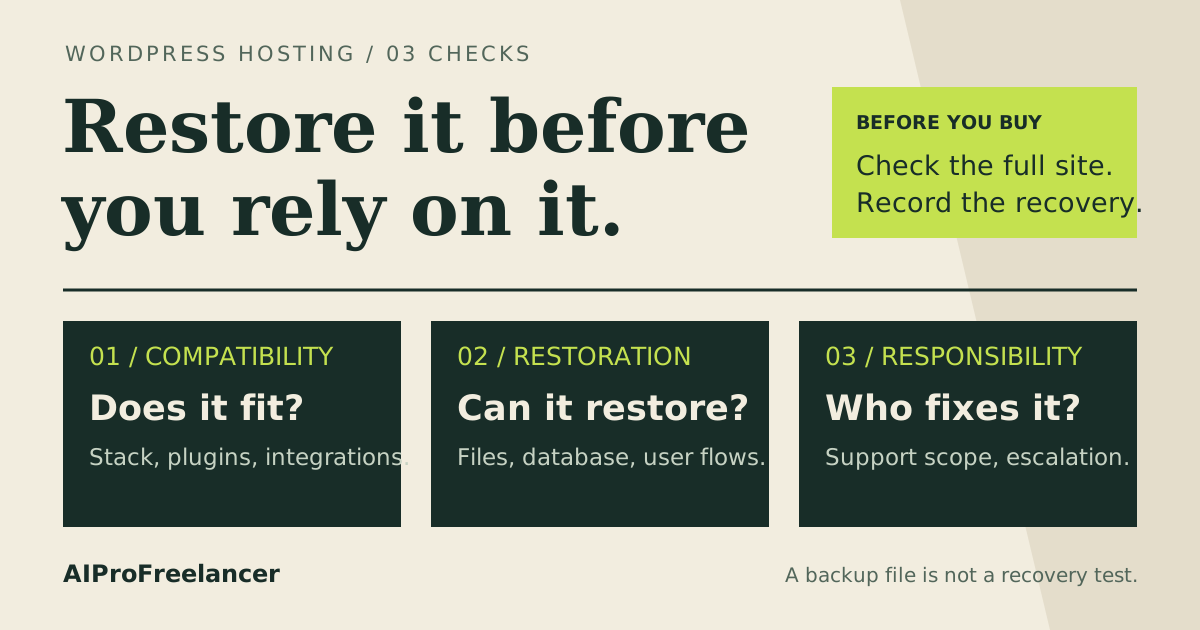
Best for a WordPress portfolio or client brochure site: Hostinger managed WordPress. Pick Hostinger VPS instead if you need server control and can maintain Linux; consider UltaHost when you want a VPS with management options. Choose around the work you can own, then compare the full bill.
Affiliate disclosure: The marked Hostinger and UltaHost referral links may earn us a commission on a qualifying purchase. Read our affiliate disclosure .
See Hostinger plans for a WordPress-first shortlist ->
Based on official pricing and documentation checked October 29, 2026.
Managed WordPress vs VPS: prices and practical limits
These are the USD offers displayed on the official pages, with different commitments. A monthly equivalent is not a month-to-month invoice. Confirm taxes, region, selected term and optional extras before paying.
| Option | Introductory price and commitment | Displayed renewal | Key limits and backup provision | Trial or refund offer | Best fit |
|---|---|---|---|---|---|
| Hostinger WordPress Premium | $2.49/month; $119.52 paid for 48 months | $10.99/month for the same term | 3 websites, 20 GB SSD, weekly backups | Advertised 30-day money-back guarantee; not a free trial | Portfolio, blog or brochure site |
| Hostinger KVM 1 VPS | $6.49/month; $155.76 paid for 24 months | $11.99/month for the same term | 1 vCPU, 4 GB RAM, 50 GB NVMe, 4 TB bandwidth; weekly backups | Advertised 30-day money-back guarantee; not a free trial | Developer needing a configurable server |
| UltaHost VPS Basic | $5.52/month on the displayed 2-year offer | $5.52/month for 2 years | 1 CPU core, 1 GB RAM, 30 GB NVMe; management depends on configuration | 30-day refund on monthly VPS billing only; yearly and longer terms are non-refundable (refund policy , checked Nov 4, 2026) | Buyer seeking server control with management help |
Table sources, checked October 29, 2026: Hostinger WordPress pricing and features , Hostinger VPS pricing and features , and UltaHost VPS pricing and management FAQ . UltaHost’s headline says $5.51/month, but its Basic plan card says $5.52; the table uses the specific plan card. A refund offer requires an upfront purchase and its applicable conditions.
Do not rank these options by memory or storage alone. A WordPress hosting allowance and a VPS allocation describe different products. The useful question is whether your application fits and whether someone can operate it reliably.
What you are buying: application convenience or server control
Managed WordPress is the sensible starting point when the deliverable is a conventional WordPress website. Your buying checklist can focus on publishing, migration, backups and the support boundary. You still need someone to approve changes, check forms and handle the site’s content.
A VPS gives you a server environment to configure. Hostinger’s VPS responsibility documentation , checked October 29, 2026, assigns the internal software to you while Hostinger maintains the physical infrastructure. Templates and AI tools can assist the operator; they do not replace that ownership.
UltaHost’s management FAQ, cited above, distinguishes unmanaged, semi-managed and fully managed configurations. It links full management to adding a control panel, with free and paid panel choices. Ask for the scope attached to your exact configuration before treating its advertised managed service as your maintenance agreement.
For a broader shortlist, compare VPS choices for freelancers and the UltaHost versus Hostinger operating model .
Who should choose Hostinger managed WordPress, and who should not?
Choose managed WordPress for a portfolio, editorial site or client brochure project whose requirements fit the hosting plan. It is especially attractive when the client expects the freelancer to build and maintain the website without separately administering a server.
The practical advantage is a narrower operating brief. You can spend the maintenance budget checking the actual customer journey: can a visitor submit an enquiry, receive a confirmation and reach the right person? Those checks matter more to the buyer than an unused server setting.
Do not choose the entry plan if its website count, storage or backup schedule cannot meet your project requirements. Frequent content or order changes deserve a recovery plan that reflects the cost of lost data. Also establish whether any required server-level package or configuration is supported before committing.
Managed hosting does not settle every plugin conflict or business workflow. Name who approves plugin changes and who investigates a failed checkout. Put that responsibility into the client agreement rather than leaving it implicit in the word “managed.”
Who should choose Hostinger VPS, and who should not?
Choose a VPS when a concrete requirement calls for control over the server environment: a custom service, a particular deployment process or software your managed hosting plan cannot accommodate. The specific Hostinger VPS evaluation helps turn that requirement into a buying checklist.
Before buying, write down the person responsible for system updates, administrator access, firewall changes, application monitoring and recovery. If that person is you, price the work into the client arrangement. If it is a contractor, obtain their quote before comparing hosting bills.
Do not choose a self-managed VPS for a client who expects hands-off operation when nobody owns the server. An easy installation is only the beginning. The decision becomes harder when an update breaks a dependency or the original developer is unavailable.
Server access can be valuable, but it also creates decisions the project must support. Keep the stack as simple as the requirements allow and make the recovery procedure understandable to a replacement operator.
When UltaHost is the better alternative
Consider UltaHost when you need VPS flexibility and want provider assistance to form part of the operating arrangement. Its entry allocation differs substantially from the Hostinger example above; compare the intended workload rather than assuming the prices buy equivalent capacity.
Send a short scope question before ordering: “For this panel and plan, who handles operating-system patches, web-server configuration, WordPress errors and restoration?” Keep the answer with the project handoff. Ask separately about paid licenses and application-specific work.
Skip the entry configuration if your application needs more resources, or if the confirmed support scope leaves tasks you cannot cover. Paying for management only helps when it addresses the work that would otherwise hold the project up.
Compare UltaHost plans if management help is your deciding factor ->
Compare total cost and effort before signing
Use this planning formula rather than the promotional headline:
Project hosting cost = subscription payments + licenses and add-ons + routine administration + incident and recovery work.
This is a budgeting method, not a measured savings claim. Fill it with your own quotes and time allowance. Separate the cash due now from the cost allocated to a client each month; a long subscription can look affordable while absorbing money the project needs elsewhere.
| Cost or task | What to record |
|---|---|
| Subscription | Initial payment, commitment, renewal term and billing owner |
| Extras | Panel license, email, backup storage and any paid management scope |
| Routine work | Update owner, access review and application checks |
| Incidents | Escalation contact, approval authority and out-of-scope charges |
| Exit | Export method, domain ownership and who removes freelancer access |
Choose the model that leaves a workable maintenance margin after these costs. Our project cost guide separates upfront payments from costs allocated to one client project.
For an existing client site, use the WordPress site transfer checklist before migration. A cheaper invoice is a poor trade if nobody can recover the site or the client cannot take ownership later.
How to test it yourself in 15 minutes
Use this as a timed pre-purchase fit check. If you already have an authorized demo or staging account, inspect its controls; otherwise use the documentation and request the missing answers. This exercise needs no purchase and establishes fit, not performance.
- Minutes 0-3: list the deliverable. Record the sites, essential plugins, custom services and owner. Mark each requirement as supported, unsupported or unanswered for your shortlist.
- Minutes 3-6: capture the bill. Record the displayed currency, initial total, renewal and selected term. Check whether a panel or other required feature adds a separate charge.
- Minutes 6-9: inspect the recovery path. Find the backup and restore documentation or staging controls. Identify what gets restored and who may authorize it. Never restore over a live client site for this exercise.
- Minutes 9-12: assign maintenance. Write a name beside updates, access, monitoring and incidents. Send any support-scope questions you cannot resolve from the docs.
- Minutes 12-15: make the decision. Reject an option with a critical unsupported requirement. Save the remaining questions and quote before committing.
Record observations in the blank WordPress handoff worksheet ; leave untested fields unknown. A later recovery rehearsal should use disposable staging data and record the actual outcome.
FAQ
These questions follow the buying topics in the providers’ public WordPress and VPS FAQs cited above.
Is managed WordPress hosting better for beginners?
It is the stronger starting point for a conventional WordPress site when the buyer has no server operator. Check application requirements and maintenance ownership before deciding; a beginner with custom infrastructure needs may still need professional administration.
Can I run WordPress on a VPS?
Yes, but choose that route for a concrete configuration or operating requirement. Installing WordPress does not assign responsibility for server maintenance, plugin updates or client acceptance. Decide who handles each layer before migration.
Is a VPS cheaper than managed WordPress?
Compare the quoted subscription and the work left to your team. The entry offers above have different terms and allocations. A lower hosting invoice does not establish a lower project cost when administration, licenses and recovery work are added.
Does managed VPS include WordPress maintenance?
Confirm the exact scope. Server management, control-panel support and application troubleshooting are separate questions to ask. Get a written answer for the configuration you intend to buy, especially when handing responsibility to a client.
Should I move an existing client site to a VPS?
Move when a specific requirement justifies it and an operator can support the result. First confirm exports, backups, domain control, an acceptance check and a rollback path. Keep the original service available until the client accepts the migration.
Which should you buy?
For a conventional WordPress project without a server operator, start with managed WordPress. Choose Hostinger VPS when server control is necessary and administration is covered. Shortlist UltaHost when provider management assistance is the reason you are considering a VPS.
Keep subscription, domain and billing ownership explicit. Record the freelancer’s continuing role and what happens when the maintenance agreement ends. Do not put passwords or access tokens in the worksheet.
Start with Hostinger plans and match the product to your maintenance budget ->