Best for developers and freelancers who can run their own server: Hostinger VPS. Choose KVM 1 for a lean deployment; consider KVM 2 when your application needs more headroom. Pick UltaHost instead if a managed-server offer better matches your support needs.
Affiliate disclosure: The marked referral links may earn us a commission on a qualifying purchase. Read our affiliate disclosure .
Based on official documentation and pricing checked October 28, 2026.
Black Friday 2026: The sale is live, but public USD prices checked November 15 match October. Our Hostinger Black Friday price comparison calculates the first invoice, license exclusions and full renewal commitment. The review prices below retain their original October check date.
Hostinger KVM plans and prices
The table uses USD prices displayed on the official pricing source , checked October 28, 2026. These are prepaid 24-month offers, not monthly billing. The upfront amounts below are displayed plan totals; confirm taxes and optional extras for your country before paying.
| Plan | Intro/month | Due upfront | Renewal/month, same term | vCPU / RAM | NVMe / bandwidth |
|---|---|---|---|---|---|
| KVM 1 | $6.49 | $155.76 | $11.99 | 1 / 4 GB | 50 GB / 4 TB |
| KVM 2 | $8.79 | $210.96 | $14.99 | 2 / 8 GB | 100 GB / 8 TB |
| KVM 4 | $12.99 | $311.76 | $28.99 | 4 / 16 GB | 200 GB / 16 TB |
| KVM 8 | $25.99 | $623.76 | $49.99 | 8 / 32 GB | 400 GB / 32 TB |
My buying recommendation: choose the smallest tier that accommodates your actual application, database, background jobs and maintenance work. A higher tier makes sense when you can identify the resource you need. Buying extra capacity without a deployment plan simply increases the cost of learning.
For an experimental project, begin with a written list of services you intend to run. For client work, also allow room for imports, updates and backups while normal requests continue. Do not translate a RAM figure into a guaranteed number of websites or visitors: caching, plugins, queries and simultaneous activity change the result.
Hostinger vs UltaHost: control or management?
This comparison is about buying fit. The service scopes differ, so the lowest headline price alone cannot settle the choice.
| Buyer criterion | Hostinger KVM 1 | UltaHost VPS Basic |
|---|---|---|
| Advertised starting price | $6.49/month; 24 months prepaid | $5.52/month; displayed two-year offer |
| Main resource limits | 1 vCPU, 4 GB RAM, 50 GB NVMe | 1 CPU core, 1 GB RAM, 30 GB NVMe |
| Administration | Buyer responsible for the virtual server | Advertised as managed; confirm covered tasks |
| Free trial / refund distinction | No free trial shown; 30-day money-back offer | No free trial shown; 30-day money-back offer |
| Best fit in this comparison | A developer who wants control and can maintain the stack | A buyer prioritizing help with server administration |
Sources checked October 28, 2026: Hostinger pricing and responsibility FAQ and UltaHost pricing and managed-server specifications . UltaHost’s banner says $5.51, while its Basic plan card says $5.52; this comparison uses the plan card. Ask for the selected term’s final quote and management scope. A money-back offer requires payment and is not a free trial.
For a freelancer comfortable with Linux administration, my preference here is Hostinger: keeping control of the stack is useful when a client needs a particular runtime or deployment process. For someone who wants an operator to help manage the server, UltaHost deserves a closer look. Ask who handles OS updates, application errors, migrations and recovery before deciding that managed hosting covers your workload.
Compare UltaHost plans if server management is your priority ?
Who should choose Hostinger VPS?
For an always-on automation stack, see our VPS guide for AI agents and bots for plan selection, model API costs and a practical deployment check.
Choose it when you can name the person responsible for maintaining the environment and can explain why ordinary managed hosting does not meet the project requirements. That might be a custom application stack, a staging environment matching production, or an automation service whose deployment you want to control.
The strongest buyer is a developer who already has a repeatable setup: configuration notes, a deployment procedure, a rollback plan and a maintenance budget. In that situation, a VPS becomes part of an existing workflow instead of a new operational burden hidden inside a low subscription price.
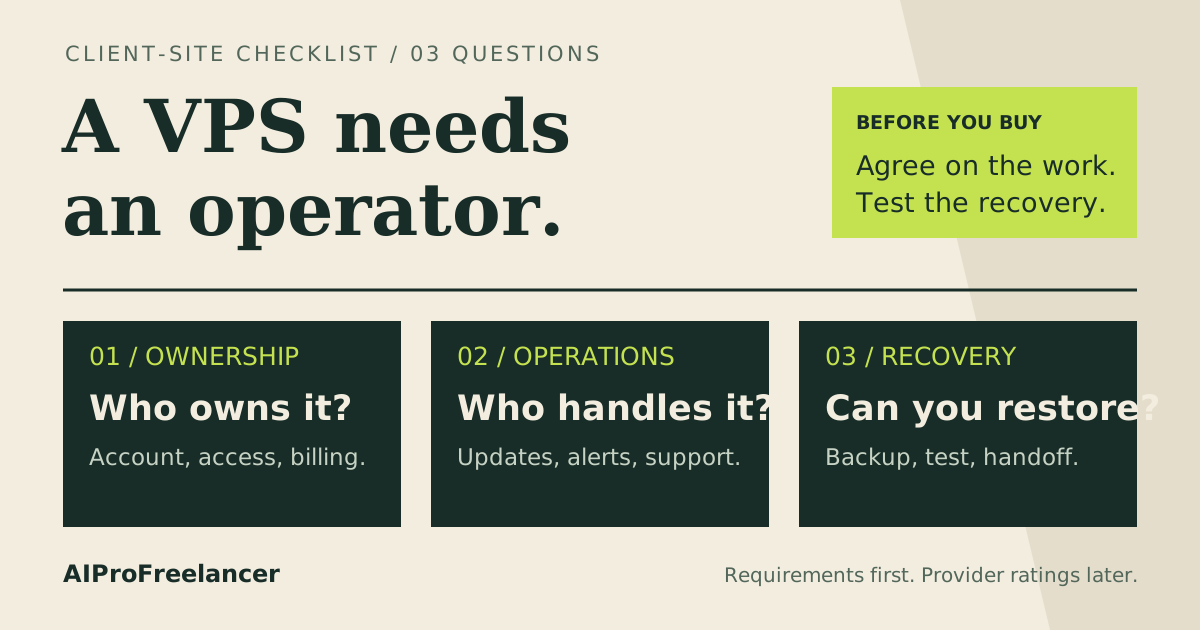
For an agency, account ownership matters as much as installation. Decide whether the client owns the subscription, which access the freelancer receives, and how access is removed at handoff. Put those decisions in the blank WordPress handoff worksheet . Unknown recovery details should remain unknown until someone verifies them.
Who should not buy it?
Skip a self-administered VPS if you want to publish a simple business website and have no interest in server maintenance. Paying someone to operate it may erase the apparent saving. Compare managed WordPress responsibilities before committing to infrastructure you do not need.
Hostinger’s official KVM responsibility FAQ , checked October 28, 2026, assigns responsibility for the virtual server to the customer. A dashboard or installer can shorten setup; it does not appoint an administrator for your application.
Also reconsider a long prepaid term if the client has not approved the project, the application is still changing substantially, or you cannot fund maintenance. Budget for licenses, monitoring and operator time separately. Our project cost guide helps distinguish the subscription payment from the real cost of delivering client work.
Backups: useful, with a recovery trade-off
Hostinger’s backup and restore instructions , checked October 28, 2026, describe weekly backups by default and daily backups as a paid upgrade. A manual snapshot expires after one day; only one snapshot can be stored at a time. Restoring replaces the current VPS contents, and the server is locked during the operation.
That makes snapshots useful before a controlled change, but unsuitable as your only long-term recovery plan. If your client cannot afford to lose recent transactions, decide how the database will be protected between server backups. Keep an independent copy of critical data and document who is authorized to restore it.
A backup listing is only the beginning of the evidence. The practical question is whether the application can return to a known working state with acceptable data loss. Schedule a separate recovery exercise before promising that outcome to a client.
How to test it yourself in 15 minutes
Use this as an initial inspection on an already provisioned, disposable server you are authorized to access. Provisioning, purchasing and a complete recovery exercise sit outside this short check. Set a timer and write down failures as well as successes.
- Minutes 0–3: verify the order. Match the selected tier, region and term to the receipt. Record the upfront payment and renewal information. The official renewal guide explains where to inspect renewal details; checked October 28, 2026.
- Minutes 3–6: inspect access and capacity. Confirm your SSH access, then use
free -h,df -handnprocto record the environment. These observations verify configuration; they do not establish application performance. - Minutes 6–10: deploy something representative. Use a sanitized copy of your application or a minimal sample with the same runtime. Check a page, a database operation and a background job. Record what works without importing client secrets.
- Minutes 10–13: inspect recovery controls. Locate the backup schedule and snapshot controls. Write down the available restore points. Leave destructive restoration for a separate, explicitly authorized exercise on disposable data.
- Minutes 13–15: make the decision. List missing configuration, unresolved support questions and expected maintenance tasks in the worksheet. Continue only if you can assign each task to an owner.
Frequently asked questions
These questions follow topics in the public official VPS FAQs linked above, rather than private Search Console query data.
Is Hostinger VPS good for WordPress?
It is a reasonable shortlist choice when WordPress needs a custom environment and you can maintain it. For a straightforward client brochure site, compare managed hosting first. The need to run WordPress alone does not establish a need for root access.
Which KVM plan should I start with?
Choose KVM 1 for a lean project with a clear resource budget. Consider KVM 2 when your expected services need more room. Use the trial deployment checklist to decide; do not buy a larger tier solely because it is labeled popular. Our KVM 1 vs KVM 2 guide matches common workloads to each plan.
Is Hostinger VPS managed?
Treat it as a server you administer. Write down who handles patches, application configuration and incidents. If those tasks should belong to a provider, request a managed-service scope and compare it with your own checklist before buying.
Can I install custom software?
Root access makes a custom stack possible, as described in the official custom-software FAQ , checked October 28, 2026. Check your application’s dependencies and licensing before selecting an image. An available control-panel template does not prove a paid license is included.
Is the displayed monthly price my monthly bill?
The offers in the table are prepaid term prices expressed as a monthly equivalent. Compare the amount due now and the renewal rate, then keep a copy of your own order summary. Do not budget from the introductory headline alone.
Verdict: buy control when you can operate it
Hostinger VPS belongs on the shortlist for freelancers who need a configurable server and have the skills or budget to maintain it. Choose a tier from a workload plan, keep renewal costs visible, and verify recovery before moving a client site.
If the real problem is lack of time to administer servers, investigate the managed alternative above instead. For a broader decision checklist, use our freelancer hosting guide .
Start with the Hostinger plan that fits your workload ?
Compare the full VPS commitment
Use our VPS cost calculator to compare upfront base costs and renewals, then cite the dated VPS price index for entry prices and RAM per dollar.