Best for a lean Linux project: KVM 1. Pick KVM 2 for an app, database and background jobs sharing a server. At the verified Black Friday prices, KVM 2 costs $55.20 more for the first 24 months. Buy that headroom when overlapping work justifies it. Compare Hostinger KVM plans
Affiliate disclosure: purchase links in this article are referral links. We may earn a commission at no extra cost to you. Read our disclosure .
Black Friday 2026: The official seasonal page currently lists the same introductory prices as the regular VPS page. Do not assume the seasonal label adds another discount. Our Hostinger Black Friday VPS guide covers the wider offer.
Based on official pricing and documentation checked November 14, 2026; workload recommendations below are planning judgments.
Deploying containers? Read Best Cheap VPS for Docker for a comparison of RAM, persistent storage and the full hosting bill.
Running a business application? Our VPS guide for Odoo and small-business ERP compares plan costs, database and filestore backups, and recovery responsibilities.
Black Friday prices: compare the full payment
| Buying criterion | KVM 1 | KVM 2 |
|---|---|---|
| Introductory monthly equivalent, 24-month term | $6.49 | $8.79 |
| Advertised payment for that term | $155.76 | $210.96 |
| Renewal monthly equivalent, same term | $11.99 | $14.99 |
| vCPU | 1 core | 2 cores |
| RAM | 4 GB | 8 GB |
| NVMe storage | 50 GB | 100 GB |
| Bandwidth | 4 TB | 8 TB |
| Trial or refund offer | Paid purchase; advertised 30-day money-back guarantee | Same |
| Best fit, our recommendation | A focused, modest workload | Several services sharing a server |
| Main trade-off | Less room for concurrent work | Higher upfront commitment |
Sources for the advertised figures and refund offer: Hostinger Black Friday VPS pricing , checked November 14, 2026; cross-checked against Hostinger regular VPS pricing and specifications , checked November 14, 2026. Confirm tax, currency, selected term and final total before payment.
The monthly figure is a comparison rate for an upfront purchase. Using the listed prices, the first-term difference is $210.96 - $155.76 = $55.20, equivalent to $2.30/month. These are calculations from the source table, not another promotional offer. If necessary jobs regularly compete for memory, the difference may be easier to justify than repeatedly trimming the stack.
Renewal deserves its own budget. At the displayed rates, a further 24 months works out to $287.76 for KVM 1 or $359.76 for KVM 2. The difference becomes $72 for that term. These are calculated projections assuming the displayed renewal rates remain applicable, not invoices. For an uncertain project, the upfront commitment may matter more than the monthly saving.
The referral link is a purchase route, not evidence of an additional discount on top of Black Friday. Compare the final payable total with the table instead of subtracting an assumed coupon.
Use our VPS cost calculator to compare the introductory period with renewal. Add any control panel, external backup, monitoring or other software you intend to buy. A cheap server stops being cheap when the extras or maintenance work exceed the saving.
Who should choose KVM 1 - and who should not
Choose KVM 1 when you can name the main job the server will perform and keep the software stack small. A personal API, cached portfolio, modest automation service or webhook receiver is a sensible candidate to evaluate here. The smaller plan makes the most sense when conserving the initial budget matters and you can monitor the workload yourself.
For example, a receiver for TradingView webhook alerts has a different resource profile from a bot that repeatedly processes historical datasets. List the work behind each request: database writes, file downloads and background processing all belong in the sizing decision.
Do not choose KVM 1 just because your website count is small. A single store with expensive database queries can be harder to host than several quiet brochure sites. Likewise, Docker is a packaging method, not a reason by itself to buy a larger server. Look at what the containers actually do.
The practical drawback is limited headroom. Updates, imports and backups can overlap with normal requests. If a maintenance task makes the application unresponsive, first investigate the application and scheduling; buying more resources will not fix every software problem. Pick this plan when you are willing to keep the stack lean and adjust it as you learn.
Who should choose KVM 2 - and who should not
KVM 2 is the stronger starting candidate for an app, database and background worker running together. Choose it when you can identify work that will use the extra capacity: overlapping automation runs, imports during business hours, or several client projects sharing the server. Buying spare capacity makes sense when interruptions would cost you working time.
That is a capacity argument, not a claim that pages load twice as fast. Application code, database queries, caching and the location of your users still affect the result. Do not justify the larger purchase using an assumed speed multiplier.
For n8n, inventory the executions and data they handle. A workflow that moves short messages differs from one that downloads files, transforms large datasets and starts other jobs. Our best VPS for self-hosted n8n guide helps turn that inventory into a buying decision.
Skip KVM 2 if your only reason is that it is labeled popular. An idle server will not earn back its higher price. Also skip both plans if your requirement is for someone else to own application maintenance, restores and incident response without your involvement.
Hostinger’s public FAQ assigns responsibility for the virtual server to the customer and describes Linux templates. Source: Hostinger VPS management and operating-system FAQ , checked November 14, 2026. For Windows or MetaTrader requirements, use our forex VPS guide before selecting a Linux plan.
See Hostinger plans for your workload
Hostinger vs UltaHost: capacity or managed service?
UltaHost is worth considering when administration support matters more than the largest allocation for the price. Its entry offer is not a like-for-like resource match for KVM 1.
| Buying criterion | Hostinger KVM 1 | UltaHost VPS Basic |
|---|---|---|
| Displayed two-year monthly equivalent | $6.49 | $5.52 |
| Displayed renewal monthly equivalent | $11.99 | $5.52 for two years |
| CPU / RAM / NVMe storage | 1 vCPU / 4 GB / 50 GB | 1 CPU core / 1 GB / 30 GB |
| Management proposition | Customer operates the virtual server | Advertised as managed |
| Our shortlist rule | Prioritize resources and Linux control | Investigate support scope first |
Hostinger figures use the sources above. Source for UltaHost: UltaHost managed VPS pricing and plan specifications , checked November 14, 2026. Its headline says from $5.51/month, while the Basic card shows $5.52/month; the table uses the card.
This is a different buying proposition. Its entry plan has less memory and storage than either Hostinger plan in the table. Ask which administration tasks the managed service covers, whether your application is supported, and which panel or backup options cost extra. The word managed alone does not settle those questions.
Choose Hostinger when your priority is the advertised resource allocation and you can operate the stack. Shortlist UltaHost when support scope could save you more time than extra memory. There is no need to change providers merely to save a small amount on the introductory rate.
For another named alternative, our Hostinger vs Contabo VPS comparison covers the buying trade-offs. Compare the same billing period and responsibilities before treating any provider as cheaper.
How to test it yourself in 15 minutes
Use this as a short first check on an already provisioned server with your application installed. It is not a complete capacity test or a promise that setup takes this long.
- Record the baseline. Open the provider’s resource view and your application’s logs. Note available memory, disk space and whether anything is restarting while idle.
- Run representative work. Open the pages you expect visitors to use, trigger a normal automation, or send a sample webhook. Use your own test data and record errors as well as successful responses.
- Check overlap. Repeat the normal work while a scheduled task runs. Avoid a synthetic flood; the question is whether your ordinary jobs interfere with each other.
- Inspect the constraint. Look for persistent CPU pressure, memory exhaustion, swapping, storage growth or database errors. Separate an application failure from a resource shortage before changing plans.
- Write down the decision. Keep the smaller plan if the workload behaves acceptably with spare capacity. Consider the larger plan if repeatable contention remains after obvious configuration issues are addressed.
Repeat this check during a real busy period before moving client production data. Include an off-server backup and a restore rehearsal in your wider acceptance process. A successful homepage request does not prove that scheduled work, recovery or peak demand will behave well.
Before committing your budget
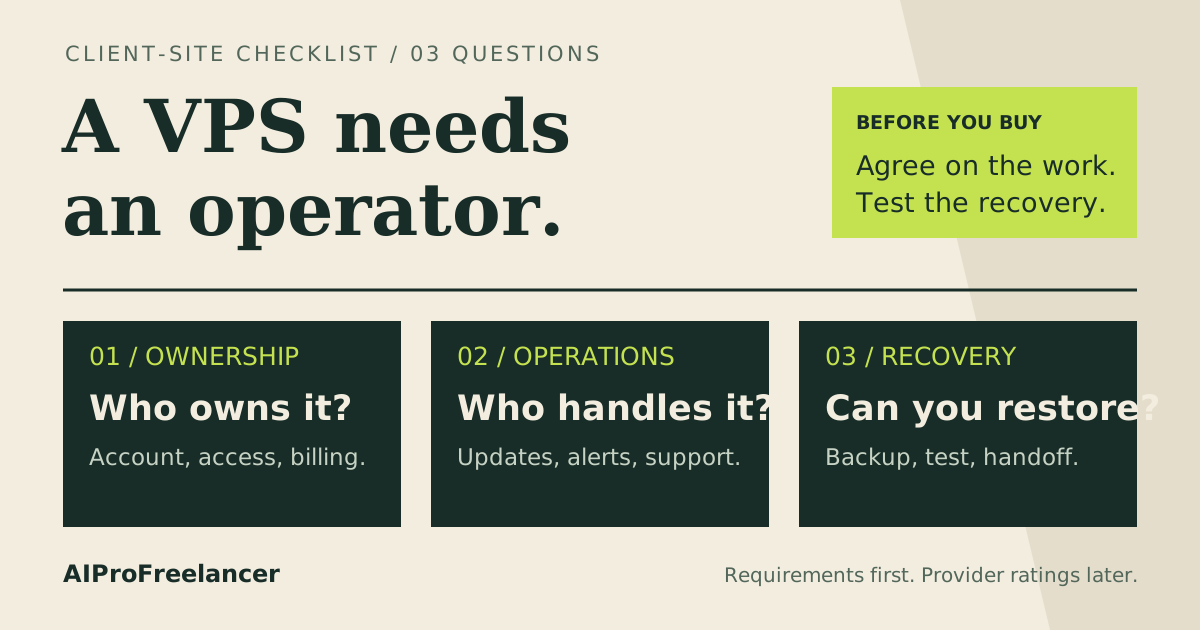
Write down the selected term, amount due, renewal rate and expected software costs. Then decide who will patch the system and respond when the application fails. This makes the purchase a workable operating decision instead of a specification contest.
For a game server, use our Minecraft VPS guide by player count to evaluate that workload separately. For the distinction between sale pricing and referral eligibility, read the Hostinger VPS discount and renewal guide .
FAQ
These questions expand the plan-selection, application and upgrade topics in the public Hostinger VPS FAQ , checked November 14, 2026; they are editorial buying questions, not claimed Search Console queries.
Is KVM 1 enough for WordPress?
It is a candidate for a modest, cached site if you can manage the server. Judge it using your theme, plugins, database and background tasks. Choose KVM 2 when those tasks compete for resources, rather than relying on a universal visitor limit.
Should I choose KVM 2 for n8n?
Choose it when your workflow stack includes a database, workers or overlapping executions that need headroom. For a small, focused setup, evaluate KVM 1 first. The workload matters more than the application name.
Does KVM 2 mean twice the speed?
No. The resource table describes allocations, not measured application performance. Use the same application and representative tasks when evaluating whether extra capacity solves your bottleneck.
Can I start small and upgrade later?
Hostinger’s public FAQ describes upgrading from the account dashboard. Before relying on that path, confirm the account’s upgrade charge and procedure, keep a current backup, and plan for service interruption rather than assuming a seamless change.
Are backups included?
The official VPS page lists weekly backups. Keep a separate copy of important data and verify restoration for your application; a provider backup schedule alone does not establish how much data your business can afford to lose.
Is the money-back offer a free trial?
Treat it as a paid purchase with refund conditions. Read the applicable policy before paying and decide early whether the service meets your requirements. Do not assume every fee or payment method is refundable.
For the wider lineup, read our Hostinger VPS review . To compare a tight budget across providers, use VPS under $10 and the VPS price index .
Choose KVM 1 for a focused project you can keep lean. Choose KVM 2 when concurrent services justify the extra upfront spend. Compare Hostinger plans before buying .