Best for WordPress owners who manage Linux themselves: Hostinger KVM 1; consider KVM 2 when your workload needs more headroom. Pick UltaHost instead if server management matters more than getting the largest resource allocation for your budget. For a simple site with nobody responsible for the server, choose managed WordPress hosting before committing to a VPS.
Affiliate disclosure: The marked Hostinger and UltaHost referral links may earn us a commission on a qualifying purchase. Read our affiliate disclosure .
Based on official pricing and documentation checked October 29, 2026; recommendations below are editorial judgments about plan fit.
Hostinger vs UltaHost: WordPress VPS plans at a glance
Prices below are advertised US-dollar monthly equivalents for the displayed two-year offer. Hostinger takes payment upfront; do not confuse the monthly equivalent with a monthly payment option. For UltaHost, verify the invoice total and selected panel before paying.
| Plan | Advertised price / renewal per month | Main resource limits | Free plan or trial | Who should consider it |
|---|---|---|---|---|
| Hostinger KVM 1 | $6.49 / $11.99; $155.76 upfront for 24 months | 1 vCPU, 4 GB RAM, 50 GB NVMe, 4 TB bandwidth | No free plan shown; 30-day money-back guarantee advertised | A small WordPress project with a capable server administrator |
| Hostinger KVM 2 | $8.79 / $14.99; $210.96 upfront for 24 months | 2 vCPU, 8 GB RAM, 100 GB NVMe, 8 TB bandwidth | Same advertised guarantee | A more demanding site or staging alongside production |
| UltaHost VPS Basic | $5.52 / $5.52; displayed two-year term | 1 CPU core, 1 GB RAM, 30 GB NVMe; managed server | No free plan shown; 30-day refund on monthly VPS billing only; yearly and longer terms are non-refundable (refund policy , checked Nov 4, 2026) | A lean site whose owner values server assistance |
| UltaHost VPS Business | $9.78 / $9.78; displayed two-year term | 2 CPU cores, 2 GB RAM, 50 GB NVMe; managed server | Same advertised guarantee | Buyers wanting more capacity than Basic with management |
Table sources, checked October 29, 2026: Hostinger official VPS pricing and UltaHost official VPS pricing . UltaHost’s banner says $5.51, while its Basic plan card says $5.52; this comparison uses the plan card. A money-back guarantee requires payment and is different from a free trial; read its applicable conditions before relying on a refund.
The useful comparison is resources plus responsibility. A cheaper managed plan may save you administration work, while a larger self-managed plan may suit someone who already maintains Linux servers. Neither resource labels nor the monthly price tell you how your checkout, editor or scheduled jobs will behave.
Who should choose Hostinger, and who should not?
Choose KVM 1 as the starting candidate for a modest WordPress site when you can maintain the operating system, configure access and restore the application. Move your shortlist to KVM 2 when your existing resource graphs show pressure or you need room for staging and background tasks. This is a sizing recommendation, not a visitor-capacity promise.
Hostinger explicitly classifies VPS as self-managed in its official managed-hosting explanation , checked October 29, 2026. That distinction should drive your purchase: installing a template does not assign ongoing responsibility for WordPress, plugin compatibility or incident recovery to someone else.
Do not choose Hostinger VPS simply because it looks cheaper than a managed WordPress package. If an update breaks the site, somebody still needs to diagnose the failure, recover a working version and decide when it is safe to reopen orders. Include that person’s time in the budget.
Before paying, write down who owns operating-system updates, database maintenance, firewall rules, certificate renewal and alerts. If every answer is “the hosting company,” get written confirmation of that scope or choose a different hosting category. Our Hostinger KVM plan review gives related buying context.
Who should choose UltaHost, and who should not?
Choose UltaHost when you want a managed-server offering and prefer to clarify support responsibilities before setting up WordPress. Its official plan cards identify the server as managed. Ask which tasks are included for your selected operating system and panel, especially migration, patching and recovery.
My recommendation is to treat Basic as a lean-site candidate, rather than the automatic choice for every WordPress installation. A control panel, database and plugins share the available memory. For a store or a complex editorial workflow, shortlist Business or a larger configuration and validate a staging copy before migration.
Do not choose Basic solely for the lowest headline price if you already struggle with resource exhaustion. Paying for management does not remove a plan’s resource limits. Likewise, do not interpret “managed” as a promise that support will repair every theme conflict or custom plugin.
Send support a concrete scenario: “After a plugin update, WordPress returns an error but the server is reachable. Which recovery tasks are included?” The answer is more useful than a general assurance that help is available. Keep it with your order details.
Compare UltaHost managed VPS plans
Match the plan to the WordPress job
For a brochure site or content publication, investigate caching, oversized images and slow plugins before buying a larger server. A VPS is useful when you need control of the stack or have identified a resource constraint. It is an expensive distraction when the actual problem is an external script or an inefficient theme.
For WooCommerce, prioritize the uncached customer journey. Test product variations, cart updates, payment callbacks and order emails. A cached homepage can look healthy while checkout struggles. Choose your candidate from observed workload and the support you need to keep transactions working.
For multiple sites, consider the consequences of sharing one server. A failed update or runaway job may affect neighboring installations. Keep separate backups and credentials, and decide whether important sites should have their own environment. Our Hostinger and UltaHost VPS comparison expands the provider decision, while the VPS selection checklist helps organize requirements.
Confirm compatibility and the complete bill
The official WordPress requirements , checked October 29, 2026, recommend PHP 8.3 or newer, MariaDB 10.11 or newer or MySQL 8.0 or newer, plus HTTPS. Apache or Nginx is recommended. Ask whether your selected template and panel provide that stack, then check your theme and plugins against it.
Keep a short purchase record with the initial invoice, billing term, renewal amount, panel licensing, backup destination and any paid migration work. Add taxes and required extras from the actual quote. A referral landing page may show a different offer; use the final order summary for your decision.
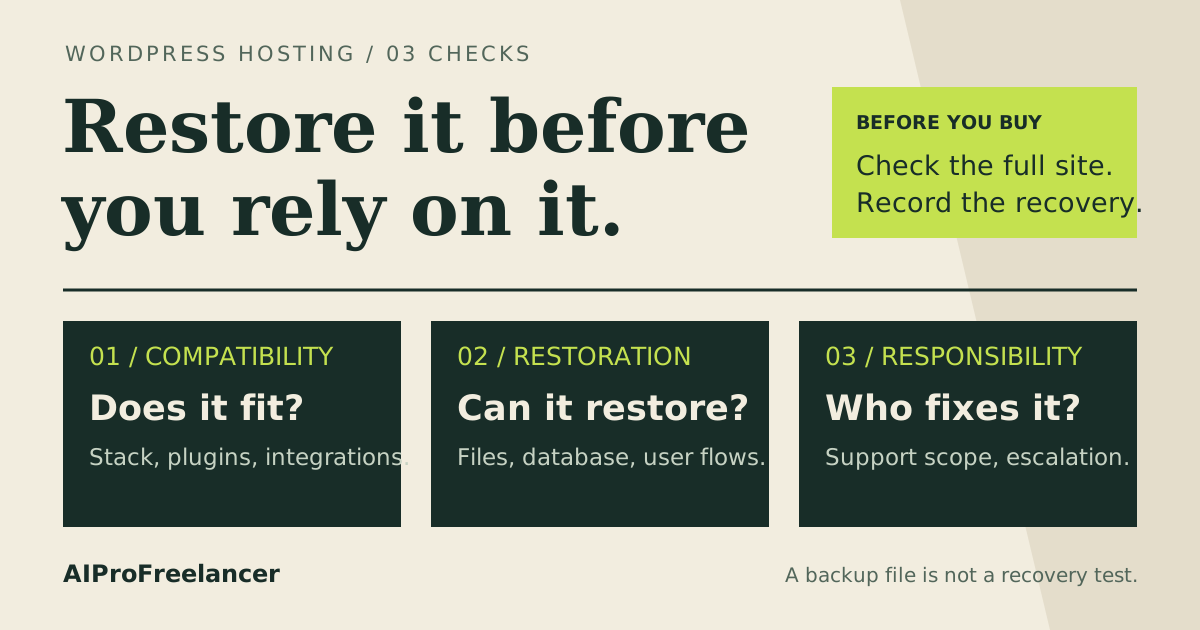
Budget for recovery separately from installation. Decide where an independent copy of files and the database will live, how you will access it during an outage and who will perform a restore. Keep the current host available until the replacement passes your acceptance checks.
How to test it yourself in 15 minutes
Use this as a first inspection after you have an authorized staging server and a sanitized site copy ready. Provisioning, a large import or a full restore may take longer.
- Minutes 0-3: inspect the environment. Record the plan, region, software versions and enabled plugins. Confirm HTTPS and that staging is private, with indexing disabled and real payments and customer emails turned off.
- Minutes 3-6: exercise real pages. Open a representative article, search result and heavier page. Test both a cached visit and an authenticated session. Save observations with the configuration and date.
- Minutes 6-9: check the business workflow. Save an edit, upload permitted sample media and run a sandbox cart or checkout if relevant. Check that scheduled tasks and mail configuration behave as intended.
- Minutes 9-12: inspect resources and errors. Look for memory pressure, CPU saturation and application errors while repeating those actions. Compare with your existing host using the same steps and test location.
- Minutes 12-15: inspect recovery readiness. Locate the backup, confirm that it contains both files and database, and document the isolated restore procedure. Schedule a complete restore rehearsal before production cutover.
Use the keyword research workflow to plan the publication’s content separately from this hosting acceptance check.
Frequently asked questions
These questions follow the public WordPress VPS buying topics covered in UltaHost’s WordPress VPS overview and FAQ , checked October 29, 2026; they are not presented as private Search Console query data.
Is a VPS better than shared hosting for WordPress?
Choose a VPS when you need server control or have identified a limit in the current environment. For a simple site without an administrator, managed WordPress hosting can be the better purchase. Diagnose the constraint before moving.
How much RAM does WordPress need on a VPS?
There is no single allocation that establishes capacity for every site. The database, plugins, panel and background tasks all contribute. Start with the candidate plans above, then use your staging workload and resource graphs to decide whether to resize.
Can I run WooCommerce on these plans?
Consider either provider only after checking the software stack and testing your store. Include uncached cart and checkout actions, payment integration and background jobs. Keep a rollback plan so a migration failure does not strand customers or orders.
Does managed VPS mean the provider handles WordPress plugins?
Ask for the scope in writing. Server management and application maintenance are separate responsibilities. Describe the exact plugin or recovery problem you want covered before choosing a plan based on support.
Which should I choose: Hostinger or UltaHost?
Choose Hostinger when you can administer Linux and want to allocate your budget toward server resources. Choose UltaHost when management support is the deciding factor, after confirming its scope. Keep the current host if neither option solves a clearly identified problem.
For a self-managed WordPress deployment, KVM 1 is my starting shortlist; KVM 2 is the next candidate when the workload needs it. Resolve maintenance ownership and test recovery before moving production.