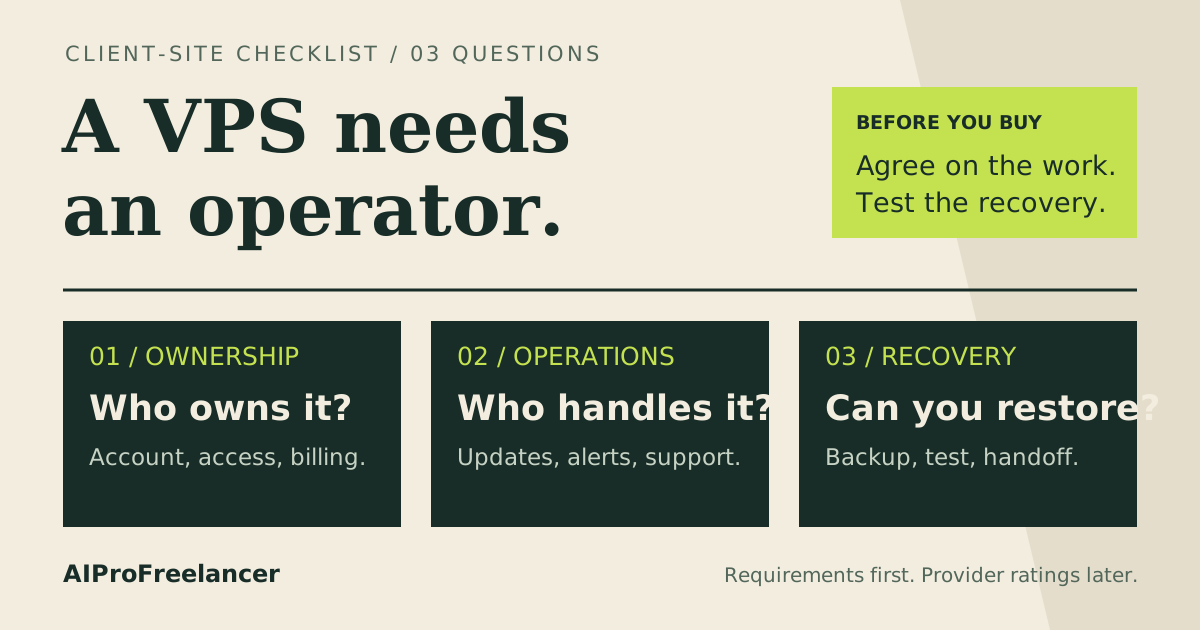
Best fit for a lean crawler with server administration help: shortlist UltaHost Basic. Pick Hostinger KVM 1 instead when RAM matters more and you can manage Linux yourself. For browser-heavy jobs, measure memory before choosing either.
Affiliate disclosure: Some links are affiliate links. We may earn a commission on qualifying purchases at no extra cost to you. Read our disclosure .
Based on official pricing and documentation checked November 13, 2026; workload recommendations are editorial judgments, not benchmark results.
The useful buying question is whether your permitted collection job needs more compute, a different access method, or better scheduling. Paying for extra CPU will not resolve a website refusing automated access. Establish the data source and permitted collection method before committing to hosting.
Compare the plans and real hosting commitment
These are Linux offers in USD. The monthly figures below are term equivalents, not quotes for a rolling monthly subscription.
| Plan | Monthly equivalent / term | Initial base term cost | Renewal displayed | CPU / RAM / NVMe | Network allocation | Best fit |
|---|---|---|---|---|---|---|
| UltaHost Basic | $5.52 / 24 months | $132.48 calculated | $5.52/month for 2 years | 1 core / 1 GB / 30 GB | 1 dedicated IPv4; unlimited bandwidth advertised | Lean HTTP crawler with confirmed support scope |
| UltaHost Business | $9.78 / 24 months | $234.72 calculated | $9.78/month for 2 years | 2 cores / 2 GB / 50 GB | 1 dedicated IPv4; unlimited bandwidth advertised | Small crawler needing more headroom |
| Hostinger KVM 1 | $6.49 / 24 months | $155.76 displayed | $11.99/month, same term | 1 vCPU / 4 GB / 50 GB | 4 TB bandwidth | Self-managed worker prioritizing RAM |
Sources: UltaHost official VPS pricing and specifications , checked November 13, 2026; Hostinger official VPS pricing and specifications , checked November 13, 2026. UltaHost totals are monthly rate x 24; its banner differs slightly from its Basic card, so this comparison uses the card. Verify the final invoice, taxes and extras. Hostinger explicitly bills the term upfront.
Neither compared page presents these offers as free trials. Both advertise a 30-day money-back guarantee with conditions; a refund policy is not a free testing account.
Who should choose UltaHost, and who should not?
Choose UltaHost when your scraper is a modest scheduled HTTP job and assistance with server operations has value. Before ordering, describe the operating system, language runtime, scheduler and storage to support. Ask which installation, patching and recovery tasks the managed service covers. Treat scraper code and changing website selectors as your own responsibility unless explicitly agreed otherwise.
Do not buy Basic solely because it is the cheapest row. A crawler sharing the machine with a database, browser process and monitoring agent is a different workload from a script that fetches permitted pages and exits. Start with your application’s observed footprint, then reserve capacity for operating-system work and maintenance.
Prefer Hostinger when you can handle administration and want the larger memory allocation in the table. For the broader provider decision, read UltaHost vs Hostinger VPS . Neither choice should depend on an unsupported promise about pages per second or guaranteed access to a particular target.
Dedicated IPs: what you are actually buying
A dedicated server address is useful when a data partner allowlists your worker or you need a consistent endpoint for monitoring. It does not establish that the address is residential, accepted by every destination, or part of a rotating proxy service. Write those requirements separately on your purchasing checklist.
For a partner-approved collection job, ask the partner which address family and region it accepts. Also establish whether its access agreement covers automated requests from your chosen hosting environment. If the source provides an API or export, compare that route before building a browser workflow.
Do not budget additional IPs as an automatic solution to failed requests. Identify whether failures come from authentication, permission, rate limits, parsing or networking. An access refusal calls for a supported access route or permission from the source. A server upgrade is appropriate only when your own resource measurements justify it.
Bandwidth is a budget, not a throughput promise
Separate transfer allowance from connection speed and actual application throughput. Ask how the host meters inbound and outbound data, whether backups count, and what happens when an allowance or acceptable-use threshold is reached. An unlimited label alone does not answer those operational questions.
Build your estimate from a representative authorized run. Record response sizes, retry volume, browser asset downloads and exported results. Then apply your intended schedule. This gives you a defensible transfer forecast without inventing a universal average page size.
Keep raw pages only when the project needs them. Define retention for screenshots, HTML, logs and exports before they consume the server’s disk. A compact extracted record may be enough for the business use case; retaining every intermediate artifact can add storage and backup work with little value.
Compare UltaHost plans for your crawler
RAM and scheduling: size the actual worker
Start by distinguishing an HTTP parser from a job that launches a browser. List all processes that overlap: worker, browser, queue, database, scheduler and backup. Use our VPS RAM sizing guide to organize the capacity decision, then observe your own representative workload.
Avoid a schedule that starts a replacement run while the previous run is still active. Decide how the job handles partial completion, retries and duplicate records. A checkpoint and a clear completion state can be more useful than buying a larger machine to absorb accidental overlap.
Scrapy’s AutoThrottle documentation , checked November 13, 2026, describes latency-based delay adjustment while respecting concurrency and download-delay limits. Enable it deliberately and keep limits appropriate to the source’s permitted request rate. More available CPU is not a reason to increase pressure on a destination.
Scrapy’s crawler settings reference
, checked November 13, 2026, documents ROBOTSTXT_OBEY, DOWNLOAD_DELAY and CONCURRENT_REQUESTS_PER_DOMAIN. Configure these explicitly for your project. Robots settings do not replace permission or an access agreement.
For container deployment and persistent storage planning, use our Docker VPS guide . Keep the worker’s credentials outside images and exported logs, and document how to restore its configuration after a server failure.
Calculate the full monthly operating cost
Use this worksheet with actual quotes and your own measurements:
| Cost line | What to enter | Why it changes the decision |
|---|---|---|
| Hosting | Initial invoice divided by covered months; renewal separately | Reveals commitment and later cost |
| Authorized data access | API, licensed dataset or permitted proxy service quote, if needed | May cost more than the VPS |
| Storage and recovery | Independent backup storage and retention | Protects collected data and configuration |
| Operations | Monitoring fees and your maintenance time | Captures work behind the low server price |
| Taxes and extras | Final checkout amounts and required add-ons | Reconciles estimate with payment |
Do not add a made-up proxy price to produce an apparently precise total. If a required service has no quote, mark the budget incomplete and obtain one before buying a long term. If direct permitted requests are sufficient, leave that optional cost out.
Compare the cost per usable completed dataset for your own project. Count failed or duplicated output separately. A low hosting invoice is poor value if the workflow repeatedly needs manual repair. Keep the initial hosting commitment distinct from the cash you expect to spend each month.
How to test it yourself in 15 minutes
Use this acceptance check after securing the VPS and installing your worker. Provisioning, installation and a full restore rehearsal take additional time. Use a site you own or a dataset source that has explicitly permitted the test.
- Minutes 0-3: verify the setup. Record the selected plan, software versions, destination, allowed request rate and expected output. Confirm the scheduler cannot start overlapping runs.
- Minutes 3-6: run a small sample. Use conservative concurrency. Inspect response status, extracted fields and duplicate handling. Stop on access refusals instead of trying to work around them.
- Minutes 6-9: observe resources. Inspect memory, CPU, disk and network counters using your normal monitoring tools. Save the worker logs and distinguish resource pressure from parsing errors.
- Minutes 9-12: check recovery. In this disposable test, interrupt and resume the worker. Confirm it continues from a checkpoint without duplicating completed records or losing the output file.
- Minutes 12-15: make a provisional decision. Record missing support answers and failed checks. Keep the plan only if access, output quality and capacity are suitable; otherwise fix the workflow or reconsider the tier.
Repeat over a representative operating period before extrapolating a monthly budget. A short successful run verifies basic operation, not sustained capacity.
FAQ
These buyer questions draw on the provider FAQs and Scrapy documentation above; they are not presented as private Search Console findings.
Is UltaHost Basic enough for web scraping?
It is a shortlist candidate for a lean HTTP worker whose measured requirements fit. Choose more capacity when the worker and supporting processes leave inadequate headroom. Do not assume the entry plan fits a browser-based collector.
Does a VPS include rotating residential proxies?
The compared offers do not establish that service. A dedicated VPS address and a residential proxy product are different purchases. Determine whether your permitted data access requires any additional service before committing.
Does unlimited bandwidth mean unlimited scraping?
No. Transfer marketing does not establish permission to collect data, destination acceptance or sustained throughput. Clarify the hosting limits and source access requirements independently.
Should I choose UltaHost or Hostinger?
Shortlist UltaHost when agreed server support matters and the workload fits. Choose Hostinger when you can administer Linux and prioritize the memory allocation shown above. Compare renewal and the complete workflow budget alongside the entry price.
What should I do if requests fail after deployment?
Classify the failure before changing the plan. Check output parsing, credentials, allowed access and request rate. Only upgrade resources when measurements show a local bottleneck; use the source’s supported access channel for permission problems.
Start with an UltaHost plan that fits your permitted crawler