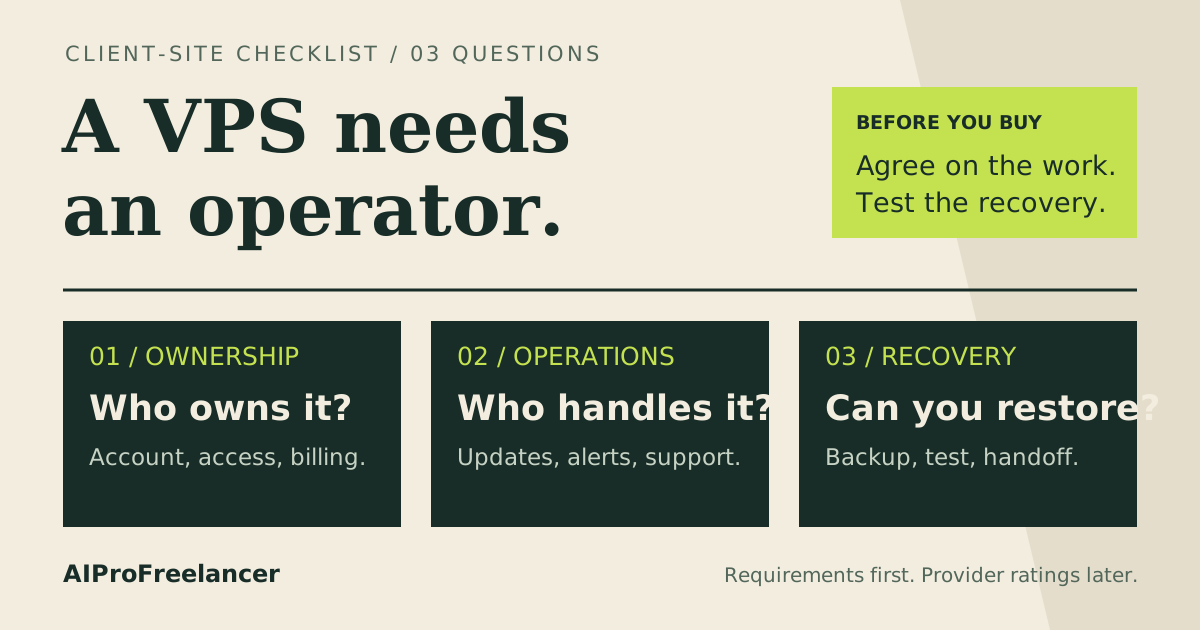
Best starting shortlist for an Odoo administrator: Hostinger KVM 2. Choose UltaHost instead if you want a managed-server offer and can confirm its Odoo support scope. For a business without a named technical owner, arrange application management before buying either VPS. Compare Hostinger VPS plans
Affiliate disclosure: some links are affiliate links. We may earn a commission at no extra cost to you. Read our disclosure .
Based on official pricing and documentation checked November 12, 2026; sizing recommendations are planning judgments, not measured capacity results.
An ERP server holds work that employees need to complete: orders, stock movements, invoices and customer records. Choose it around the busiest business workflow and the ability to recover that workflow. The lowest hosting invoice is useful only if someone can keep the application running.
Hostinger vs UltaHost: specs and monthly cost
| Plan | CPU / RAM / NVMe storage | Advertised monthly equivalent | Renewal shown | Best fit in this shortlist |
|---|---|---|---|---|
| Hostinger KVM 1 | 1 vCPU / 4 GB / 50 GB | $6.49, 24 months prepaid | $11.99/month, same term | Lean demonstration or evaluation |
| Hostinger KVM 2 | 2 vCPU / 8 GB / 100 GB | $8.79, 24 months prepaid | $14.99/month, same term | First production candidate to validate |
| Hostinger KVM 4 | 4 vCPU / 16 GB / 200 GB | $12.99, 24 months prepaid | $28.99/month, same term | More headroom for overlapping work |
| UltaHost VPS Professional | 3 CPU cores / 4 GB / 75 GB | $15.87, displayed two-year offer | $15.87/month for two years | Managed-server comparison; confirm application coverage |
Hostinger lists initial payments of $155.76, $210.96 and $311.76 respectively. Source: Hostinger VPS pricing and specifications , checked November 12, 2026.
UltaHost figures come from its Professional card: UltaHost VPS pricing and specifications , checked November 12, 2026. Confirm the selected term, taxes and final invoice; a monthly equivalent does not mean monthly billing.
Both pricing pages advertise a 30-day money-back guarantee, not a free VPS trial. Read the applicable refund conditions before using a paid evaluation. The comparison also is not resource-for-resource: Professional has less RAM than KVM 2, and a management label does not establish responsibility for custom ERP modules.
Who should choose Hostinger - and who should not
Choose Hostinger when you or your implementation partner will own Linux administration, application updates and recovery. KVM 2 is my preferred candidate for evaluating an application and database together. KVM 1 can serve a lean pilot; avoid choosing it solely because the number of employee logins looks small.
Consider KVM 4 when your evaluation reveals contention during imports, scheduled tasks or reporting. First identify whether the constraint is memory, CPU, storage or an inefficient query. Upgrading a server can provide headroom, but it cannot resolve every slow customization.
The drawback is operational responsibility. A dashboard, installation template or AI assistant does not replace a named person who can diagnose an Odoo error and restore service. For a closer plan comparison, read Hostinger KVM 1 vs KVM 2 .
Do not choose a bare VPS if the business expects someone else to handle every application incident. Ask an Odoo implementation partner for a written management scope, including upgrades, monitoring, backup checks and emergency response. Price that service alongside hosting before making the purchase decision.
When UltaHost deserves a closer look
UltaHost is worth comparing when server administration help matters more than maximizing RAM per dollar. Its pricing page describes managed VPS hosting. Before ordering, ask whether support includes the chosen Odoo version, PostgreSQL, reverse proxy, application updates and restoring the ERP after an unsuccessful change.
Ask separately about custom module troubleshooting. A provider may maintain the operating system while leaving application code to your developer. A useful answer names the work included, the work billed separately and the person responsible for a failed restore.
Compare UltaHost managed VPS plans
Choose this route when the confirmed support scope solves work you would otherwise outsource. If it covers only infrastructure, compare it with Hostinger plus your own administrator on total cost and responsibilities.
How much RAM and CPU should an Odoo VPS have?
Start with the actual work: simultaneous interactive sessions, background jobs, imports, report generation and integrations. Registered users alone are a poor sizing measure. A quiet contact database and a warehouse system generating reports can create very different loads.
Odoo’s deployment documentation sizes workers using workload assumptions and provides a RAM estimation example. Treat that as application sizing guidance, with additional room for PostgreSQL, the operating system and maintenance processes. Source: Odoo system configuration and worker guidance , checked November 12, 2026.
My recommendation is to evaluate KVM 2 with representative business data, then measure the busiest combined workload before committing production traffic. Do not turn a worker-sizing example into a guaranteed user count. Record available memory, swapping, CPU pressure, disk growth and the duration of business actions.
Storage must accommodate attachments, database growth, logs and temporary space used during maintenance. Leave enough room to create a backup without filling the same disk the database needs. Use our VPS RAM guide to structure the resource review. If deploying containers, our Docker VPS guide explains the purchase considerations around persistent storage and a multi-service stack.
Backups: protect the database and the filestore
An ERP recovery plan must restore both records and their attachments. Odoo’s CLI documentation supports ZIP database dumps and an option to exclude the filestore; ensure your backup includes it. Source: Odoo database dump and load options , checked November 12, 2026.
Hostinger advertises free weekly VPS backups on the pricing page cited above. Use provider recovery as one layer, and design an application backup process around how much recent business work you can afford to lose.
For this shortlist, I recommend the following operating checklist:
- Back up the database and matching filestore as a consistent set. Coordinate writes during capture instead of independently copying live files and assuming they match.
- Retain the configuration, custom add-ons and software version information needed to rebuild the application.
- Keep an encrypted copy outside the production VPS, with separate access controls and documented retention.
- Monitor backup failures and storage exhaustion. A scheduled job with no successful output offers no recovery protection.
- Restore into an isolated environment and verify records, attachments and a representative business workflow before accepting the backup process.
Agree recovery objectives with the business owner: how much work may be lost and how long operations can stop. Choose backup frequency and recovery tooling to meet those objectives. Disable outbound email, payment actions and external integrations in the restored test environment before opening it for validation.
Calculate the full monthly ERP budget
Use this budgeting formula: hosting equivalent + external backup storage + application licensing + administration + monitoring and email services. Keep implementation and migration as separate project costs so they do not disappear into a low hosting headline.
The table prices cover VPS infrastructure. They do not establish the cost of your Odoo edition, paid modules, implementation partner or custom-code maintenance. Obtain an edition-specific quote where applicable, and put the renewal invoice into the same budget as the introductory purchase.
For an existing business, also price a staging environment and the staff time needed to rehearse migration. The cheapest arrangement on paper may require more manual maintenance than the team can provide. Conversely, paying for management makes sense only when the contract covers the tasks you actually need.
How to test it yourself in 15 minutes
Use this as an initial acceptance screen on an already prepared staging instance, not a complete deployment or capacity certification. Use synthetic or properly sanitized data.
- Open the representative workflow: create a quotation, confirm an order and generate the output your team needs.
- Repeat while a representative import or scheduled task runs. Watch for errors and slow actions, and record resource use.
- Upload an attachment, then verify that the backup configuration includes both database and filestore.
- Start an isolated restore check. If it takes longer than the initial review window, let it finish and record the duration separately.
- Compare the restored record and attachment with the source. Assign an owner to each failure before moving production data.
Then run a longer evaluation covering peak activity, overnight jobs and maintenance. Keep screenshots and timestamps so the plan decision rests on your workload.
FAQ
Can I run Odoo on a VPS?
Yes, Odoo documents on-premise server deployment. A VPS is a candidate when its operating system, dependencies and resources suit your Odoo version. Assign responsibility for HTTPS, database access, updates and backups before going live.
Is the cheapest VPS enough for a small business?
It may be enough for a lightweight evaluation. A production decision needs representative data and concurrent work. Start with the KVM 2 candidate in this guide, then size up or down from observed behavior and recovery requirements.
Does an Odoo VPS price include the ERP software?
The VPS prices above are infrastructure prices. Budget your chosen edition, modules, implementation and ongoing support separately. Do not infer application licensing or managed Odoo service from a hosting plan name.
Is a database-only backup sufficient?
Not when attachments live in the filestore. Preserve a consistent database and filestore pair, plus the configuration and custom modules needed to rebuild. Validate the result by restoring it and opening an attachment.
Should I choose managed hosting or administer it myself?
Choose self-administration when a named person can own maintenance and recovery. Choose a managed arrangement when its written scope covers the tasks you need. For either approach, require an application restore check before production acceptance.
Choose the plan around the recovery owner
For a technically supported small business, shortlist Hostinger KVM 2 and validate it with the ERP workload. Compare UltaHost when confirmed management coverage reduces your administration burden. If nobody owns recovery, settle that responsibility before ordering infrastructure.