Best cheap starting point for a lean Node.js API: Hostinger KVM 1. Choose KVM 2 for an app sharing its server with a database and workers; consider UltaHost if confirmed server management is your priority.
Affiliate disclosure: Some links are affiliate links. We may earn a commission on qualifying purchases at no extra cost to you. Read our disclosure .
Based on official pricing and documentation checked November 9, 2026; workload recommendations are editorial judgments, not benchmark results.
For a freelance dashboard, Express API or small subscription app, the purchase decision starts with what runs alongside Node.js. A database, background queue and deployment build all need room. Choose for those combined jobs, then compare the full invoice rather than the smallest advertised monthly number.
Compare specs and monthly cost
| Plan | USD monthly equivalent | Initial term | Renewal shown per month | CPU / RAM / NVMe | Best fit |
|---|---|---|---|---|---|
| Hostinger KVM 1 | $6.49 | $155.76 for 24 months | $11.99, same term | 1 vCPU / 4 GB / 50 GB | Lean API, database hosted elsewhere |
| Hostinger KVM 2 | $8.79 | $210.96 for 24 months | $14.99, same term | 2 vCPU / 8 GB / 100 GB | App with local database and worker |
| UltaHost VPS Basic | $5.52 | $132.48 for 24 months, calculated | $5.52 for two years | 1 CPU / 1 GB / 30 GB | Small service with agreed management help |
| UltaHost VPS Professional | $15.87 | $380.88 for 24 months, calculated | $15.87 for two years | 3 CPU / 4 GB / 75 GB | Buyer prioritizing server administration support |
Sources: Hostinger official VPS pricing , checked November 9, 2026; UltaHost official VPS plan cards , checked November 9, 2026. Calculated totals use the displayed monthly rate x 24. The UltaHost Basic card says $5.52, while its banner says $5.51; the table uses the plan card.
Hostinger states that plans are paid upfront. Both providers advertise a 30-day money-back guarantee, subject to conditions; neither compared offer is presented as a free trial. Confirm taxes, optional services and the final billing term before paying.
Who should choose Hostinger KVM 1 or KVM 2?
Choose KVM 1 for a focused application you can administer yourself. A portfolio backend, internal CRUD dashboard or webhook receiver is a sensible candidate. Keep deployment work predictable and avoid adding unrelated client projects simply because the server has spare space today.
Choose KVM 2 when the application shares its host with persistent data and background work. Think about a customer importing records while a scheduled task runs and the database creates a backup. The larger plan is a shortlist for that combined workload, not a promise about concurrent users.
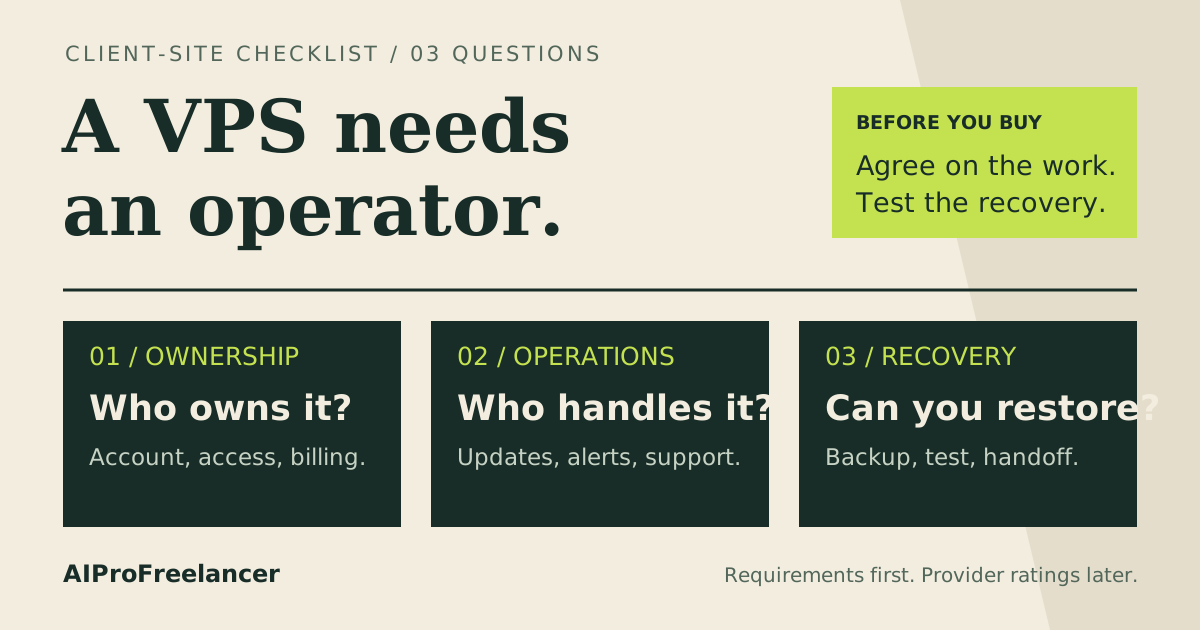
Do not choose either solely to avoid learning operations. Someone must maintain the operating system, deploy releases and recover the database. If your actual requirement is pushing code with no server administration, compare a managed application platform before committing to a VPS term.
Our Hostinger KVM 1 vs KVM 2 comparison covers the narrower plan decision. Running a chat bot instead of a web app? See the best cheap VPS for a Discord or Telegram bot . For this application, write down which work must keep running during a deployment. A build that disrupts the live API belongs in a separate build environment or needs a different capacity plan.
Hostinger vs UltaHost for Node.js
UltaHost describes these offers as managed servers. Its entry plan has less RAM than KVM 1, so compare the support you need alongside resources. Before buying, ask whether management includes your chosen Node.js version, reverse proxy, process supervisor and database restoration. A managed server label alone does not define application debugging coverage.
Choose Hostinger when you can maintain Linux and want its listed resource allocation at the quoted price. Shortlist UltaHost when its confirmed support scope reduces work you would otherwise have to handle. For a small paid product, an unresolved recovery responsibility can matter more than a modest difference in hosting fees.
Size the app, database and deployment separately
Start with a workload inventory: web process, database, cache, worker, logs and backups. Mark which components run on this VPS and which are external services. Moving a database elsewhere changes both the memory budget and the bill; it does not make the database free.
Node.js applications differ too much for a universal visitors-per-plan claim. A cached JSON endpoint and a report generator that processes large uploads are different purchasing problems. Use your own representative requests and data when deciding whether the cheapest tier is enough.
Record the busiest deployment task as well as steady operation. Package installation, asset compilation and database migrations should not silently compete with customer traffic. Preparing a release elsewhere can simplify the server’s job, provided the build targets the correct operating system and architecture.
Read how much RAM your VPS needs for a broader sizing framework. Leave capacity for operating-system work, and investigate unexpected growth rather than immediately increasing a process memory limit.
Compare Hostinger plans for your Node.js workload
Practical Node.js VPS setup checklist
Use this deployment sequence as an implementation plan for your own app. Keep a staging copy and a known working release available before changing the public service.
- Prepare access and ownership. Choose a supported Linux image, configure SSH keys and create a dedicated application user. Keep administrative access separate from the account running the app. Record who can recover access if the primary maintainer is unavailable.
- Choose a supported runtime. Match local development, build and server versions. The official Node.js release policy , checked November 9, 2026, recommends Active LTS or Maintenance LTS for production. Check your framework and dependencies before changing major versions.
- Prepare a reproducible release. Keep the dependency lockfile in version control and document the build command. Place credentials in protected server configuration, not the repository or build output. Give each release an identifier so a failed deployment can be traced and rolled back.
- Run the production entry point under supervision. Configure a service manager, such as systemd, to start the app after boot and restart it after failure. Set the working directory and environment explicitly. Do not depend on a developer’s open SSH session to keep the service alive.
- Add the public entry point. Put a reverse proxy in front of the application, configure the domain and HTTPS, and restrict direct access to the backend port. If you use WebSockets, test upgrade handling through the proxy as part of acceptance.
- Check failure and recovery paths. Confirm the service returns after a controlled restart, review application logs and verify a database restore in an isolated environment. Keep backup credentials and copies separate from the public application account.
The Express production reliability guide , checked November 9, 2026, covers production environment settings, automatic restarts and reverse proxies. Use the equivalent guidance for your framework. For container deployments, continue with our cheap VPS guide for Docker .
Budget beyond the introductory server price
Keep an operating-cost worksheet with separate rows for the server, domain renewal, external database, backup storage, transactional email and monitoring. Enter actual quotes for the services you need; do not count free tiers as permanent savings without checking their limits.
Compare that cash budget with maintenance effort. Who receives failure alerts? Who checks backups after a schema change? If the app belongs to a client, include the handover and emergency contact process in the operating agreement before choosing a host.
Avoid buying a larger plan to compensate for problems you have not identified. A slow third-party API, missing database index or failing background task needs diagnosis. Capacity upgrades make sense when measurements show a resource constraint and the larger configuration addresses it.
How to test it yourself in 15 minutes
Use this as a short acceptance session on an already prepared staging deployment, not a promise that buying and configuring a server takes 15 minutes.
- Minutes 0-3: Confirm the runtime version, deployment identifier and environment. Open a representative page and API endpoint. Use test accounts and non-sensitive data.
- Minutes 3-7: Run a realistic read, write and background job. Note memory, CPU, errors and response behavior. Use your own expected workload rather than copying a traffic number from another application.
- Minutes 7-11: Restart the application service deliberately. Check that it returns through the public HTTPS endpoint and that persisted test data remains available.
- Minutes 11-15: Rehearse switching back to the previous release and inspect logs. Schedule a separate full database restore exercise if it cannot fit safely in this session.
FAQ
Can I host a Node.js app on a cheap VPS?
Yes, if the environment supports your runtime and the application fits its resources. Start with the complete service inventory, including the database and workers. A VPS also needs an owner for updates and recovery.
Is 1 GB RAM enough for Node.js?
It may suit a small service, but it is not a general production recommendation. Dependencies, in-memory data, builds and a local database all affect the decision. Check a representative deployment before choosing the smallest offer.
Should I choose KVM 1 or KVM 2?
Shortlist KVM 1 for a lean API with limited supporting work. Consider KVM 2 when the database and workers share the host. Validate your busiest ordinary operation before committing to either plan.
Is the advertised monthly cost billed monthly?
The Hostinger offers compared here are prepaid 24-month terms expressed as monthly equivalents. Compare the initial invoice and renewal together. Select your intended billing term before deciding whether the offer fits your budget.
Do I need Docker to deploy Node.js?
No. A supervised Node.js process behind a reverse proxy is another deployment approach. Choose Docker if your team benefits from its packaging workflow and can maintain container storage, updates and recovery.
Which plan should you buy?
For a focused app you can operate yourself, shortlist KVM 1. For a colocated database and background jobs, evaluate KVM 2 against your staging workload. Choose a managed alternative only after confirming who handles your actual maintenance tasks.