Best starting shortlist for a Linux administrator running Nextcloud: Hostinger KVM 2. Pick UltaHost Professional instead if its confirmed management scope covers the server work you need help with. For a large file archive, choose around storage growth before buying extra CPU or RAM. Compare Hostinger VPS plans
Affiliate disclosure: some links are affiliate links. We may earn a commission at no extra cost to you. Read our disclosure .
Based on official pricing and documentation checked November 15, 2026; the recommendations below are planning judgments, not benchmark results.
Nextcloud puts your files, sharing permissions and maintenance responsibilities in the same purchase decision. A cheap server becomes expensive if it fills during a backup or needs more administration than you can provide. Start with the size of the library you will actually migrate, identify who will restore it after a failure, and then choose the hosting tier.
Hostinger vs UltaHost: the shortlist
| Plan | CPU / RAM / NVMe storage | Initial monthly equivalent | Renewal monthly equivalent | Best fit to evaluate |
|---|---|---|---|---|
| Hostinger KVM 1 | 1 vCPU / 4 GB / 50 GB | $6.49, 24 months prepaid | $11.99, same term | Lean personal file-sync pilot |
| Hostinger KVM 2 | 2 vCPU / 8 GB / 100 GB | $8.79, 24 months prepaid | $14.99, same term | Application and database with more headroom |
| Hostinger KVM 4 | 4 vCPU / 16 GB / 200 GB | $12.99, 24 months prepaid | $28.99, same term | Larger working library or heavier app mix |
| UltaHost VPS Professional | 3 CPU cores / 4 GB / 75 GB | $15.87, displayed two-year offer | $15.87, two years | Managed-server alternative to investigate |
Sources: Hostinger VPS pricing and specifications , checked November 15, 2026; UltaHost VPS pricing and specifications , checked November 15, 2026.
Both pages advertise a 30-day money-back guarantee, not a free trial. Check refund eligibility and the final invoice before paying. The plans above are not equivalent resources: compare the support you will actually receive as well as RAM and storage.
If you plan to operate another service on your server, our self-hosted email VPS buying guide covers port 25 approval, reverse DNS and delivery responsibilities.
Who should choose Hostinger - and who should not
Choose KVM 2 as your first evaluation candidate when you want to administer Nextcloud yourself and run its supporting services together. Choose KVM 1 for a deliberately lean pilot when the file library fits comfortably. Consider KVM 4 after identifying a real resource constraint, rather than assuming every additional user needs an upgrade.
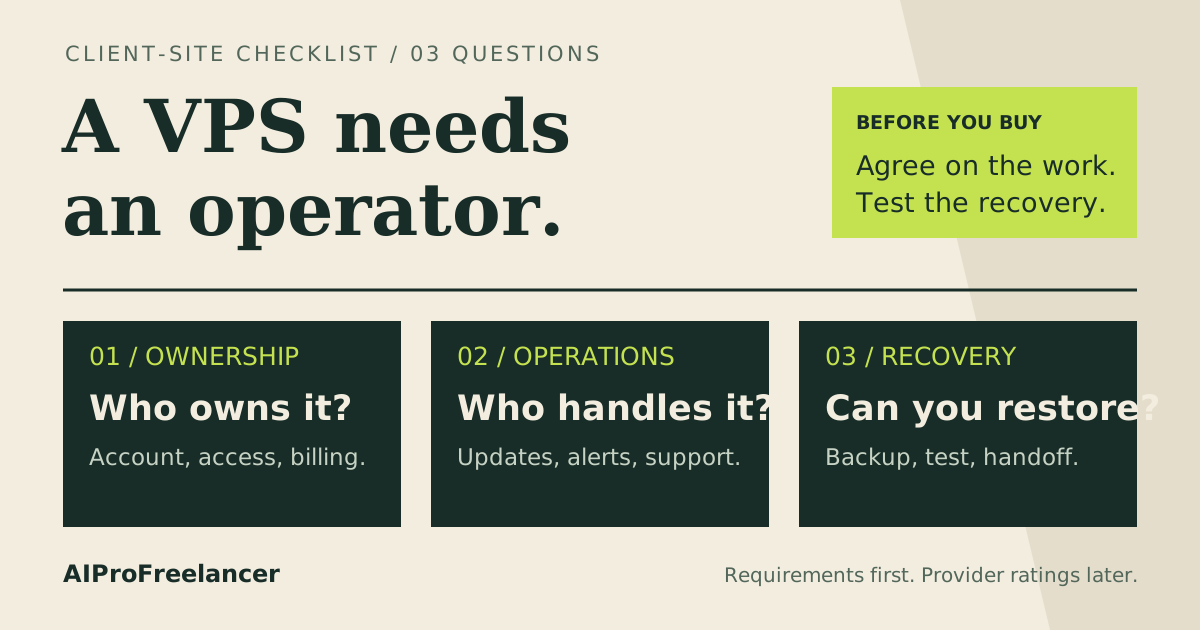
The important drawback is ownership. Assign someone to operating-system updates, application upgrades, failed background jobs, monitoring and restores. A convenient installation screen is only the beginning of that job.
Do not buy this route if your expectation is to upload private files and never maintain the server. Obtain a managed Nextcloud quote instead, or budget an administrator separately. Also avoid choosing a compute-heavy tier merely to accommodate an expanding archive without comparing storage-oriented alternatives.
Our Hostinger KVM 1 vs KVM 2 comparison helps with the smaller-plan decision. For this workload, the deciding question is whether both the live application and its growing files fit with room for maintenance.
When UltaHost is worth the higher bill
UltaHost labels Professional a managed server. That makes it a useful alternative when you would otherwise pay someone to maintain infrastructure. Ask exactly whether the service covers your Nextcloud installation method, database, upgrades, security fixes and application recovery.
Get the answer in writing before ordering. A server-management service may resolve an operating-system problem while leaving a broken Nextcloud app or sharing configuration to you. Compare the cost of any uncovered work with the self-managed option.
Compare UltaHost managed VPS plans
Choose it when that confirmed scope removes work you cannot reliably perform. If the scope does not meet your needs, a managed label alone is not a reason to pay more.
How much RAM does Nextcloud need?
Nextcloud documents a minimum of 128 MB RAM per process and recommends at least 512 MB per process. Those are not whole-server sizing targets. Its documentation says demand varies with users, apps, files and activity. Source: Nextcloud memory and system requirements , checked November 15, 2026.
My starting recommendation is to evaluate the smaller tier for focused file sync and the middle tier when several services share the server. Treat office editing, previews and other optional applications as separate workload decisions. Add them to the evaluation individually so you can see what changes.
Measure the busiest combination of tasks: uploads, downloads, background work and database activity. Count active work rather than registered accounts. Record available memory, swap activity, CPU pressure and disk use during that overlap. Do not promise a fixed number of supported users from RAM alone.
The VPS RAM sizing guide explains how to build that workload budget. Before deployment, check the requirements for your chosen Nextcloud release; the linked latest manual can describe an upcoming release.
Storage: advertised disk is not your file allowance
Use this planning equation: required disk = live files + retained versions and deleted files + previews + database and application files + maintenance headroom. Measure each component in your pilot rather than assigning the whole advertised disk to user quotas.
Start with an inventory of the folders you plan to migrate. Separate frequently used documents from an archive that rarely changes. Then decide which versions and deleted items must be retained, and inspect their actual growth during normal work. A storage budget should reflect that retention decision.
Before ordering, answer these questions:
- Will the working library still fit after the next planned migration?
- Can an upgrade or backup job finish without filling the production filesystem?
- Who receives the low-space alert, and what can they safely remove?
- If you add external storage, which location holds the authoritative files and which process backs them up?
- Can you recover the entire library within the downtime your team can tolerate?
If storage dominates the decision, compare a larger local disk with a separately priced storage service and a managed Nextcloud offer. Include retrieval, transfer and restore requirements in that comparison. Do not assume that attaching storage automatically gives you an independent backup.
Real monthly cost: separate the invoice from the budget
Hostinger lists initial payments of $155.76, $210.96 and $311.76 for the three tiers above. Using its displayed renewal rates, the corresponding next-term base totals calculate to $287.76, $359.76 and $695.76. These are 24-month commitments, not monthly invoices; the source is the dated pricing page above.
For UltaHost Professional, $15.87 x 24 calculates to $380.88 before extras. This is arithmetic from the displayed two-year rate, not a captured checkout invoice.
Your operating budget should include the following items:
| Cost item | What to put in your budget |
|---|---|
| VPS | Initial term total and renewal total, recorded separately |
| Independent backup | Stored data, retention, transfer and restore charges from your chosen service |
| Domain and email | Any domain renewal and notification email service you require |
| Administration | Updates, monitoring, incident response and recovery rehearsals |
| Optional applications | Any paid support, subscriptions or additional services you choose |
For a real monthly comparison, divide prepaid charges by the covered months and add recurring services. Keep the cash needed today visible alongside that figure. Apply taxes and currency conversion from the final quote. Do not count an unverified referral discount as guaranteed savings.
Backups that can restore the application
Nextcloud’s backup documentation identifies the configuration, data, database, theme and custom apps where installed. It also describes maintenance mode to prevent inconsistent data during backup. Source: Nextcloud backup components and maintenance mode , checked November 15, 2026.
Use that as the starting point for an application-aware recovery procedure. Keep a consistent backup set outside the production environment, protect access separately, and record the software versions needed to restore it. Hostinger advertises weekly VPS backups; decide whether that frequency meets your own acceptable data-loss window.
My acceptance check is simple: restore into an isolated environment, sign in with a test account, open a representative document and verify its sharing permissions. Record what failed and who will fix it. A backup job reporting success does not demonstrate that the restored application works.
If you deploy with containers, the Docker VPS buying guide covers persistent-storage planning. Include application data in the recovery plan, not just the container definition.
How to test it yourself in 15 minutes
Run this initial screen on an already configured staging instance with non-sensitive sample files. Installation, a full restore and a realistic capacity test may take longer.
- Sign in from the devices you expect to use and upload a representative folder.
- Download a file and compare its contents with the original. Check both large files and folders with many small files.
- Create a restricted share with a test account and confirm that access matches your intention.
- Repeat normal sync work while observing server resources and available disk space.
- Inspect the backup configuration and start an isolated recovery check; let it finish even if it exceeds this review window.
Continue with a longer pilot covering routine background work and upgrades before migrating important files. Save screenshots, errors, timestamps and restore results to support the final plan decision.
FAQ
Is a VPS suitable for Nextcloud?
Yes, when its software environment meets your selected release’s requirements and someone owns maintenance. Choose a VPS for control over configuration; choose managed Nextcloud when you need the application operated for you.
Is 4 GB RAM enough for Nextcloud?
It is a reasonable starting tier to evaluate for a lean personal setup. Validate your app mix and concurrent work. The per-process requirement in the manual is not a guarantee that an entire production stack will fit a particular server.
How much storage should I buy?
Measure your live library and add the space needed for retention, previews, the database and maintenance. Set quotas from the resulting usable budget. Buy with a growth plan rather than allocating the entire advertised disk to files immediately.
Does managed VPS hosting include Nextcloud support?
Do not assume it does. Ask whether updates, app problems, database issues and application restores are included. Purchase against the written scope and assign any remaining tasks to a named administrator.
Is syncing files the same as backing them up?
No. Keep a separately retained recovery copy and validate restoration. Plan recovery for the application and its records as well as the documents, especially when users depend on existing shares and permissions.
Choose around files, recovery and renewal
Start with Hostinger KVM 2 when you can administer the service and your storage plan fits. Compare UltaHost when its confirmed support scope reduces work you would otherwise outsource. For either choice, approve the full operating budget and complete a restore check before entrusting it with your primary file library.