For a lean n8n workflow, start with Hostinger KVM 1 at $6.49/month equivalent, but choose KVM 2 at $8.99 if you need the 2 vCPU and 4 GB RAM specified by n8n’s current Assistant sandbox Compose guide. If you want a managed-server option with 4 GB, UltaHost Professional costs $15.87/month equivalent. The first Hostinger payment covers 24 months upfront, and renewal changes the long-term bill.
Affiliate disclosure: purchase links may earn us a commission at no extra cost to you. Read our disclosure .
Prices below are USD and were checked on November 15, 2026. These are plan comparisons, not performance tests. The n8n Compose guide’s 4 GB and 2 vCPU requirement applies to its Assistant sandbox stack, which n8n says is for development and testing and uses a privileged runner. It is not a universal minimum for every n8n installation.
Pick by the deployment you plan to run
| Deployment | Plan to evaluate | Why |
|---|---|---|
| One small workflow, external APIs, little overlap | Hostinger KVM 1 | 4 GB RAM, low initial bill; only 1 vCPU, so it misses the Assistant Compose guide’s CPU requirement |
| Several active workflows, Postgres or more room for overlap | Hostinger KVM 2 | 2 vCPU and 8 GB RAM; most room per dollar in this shortlist |
| You want server support and 4 GB RAM | UltaHost Professional | 3 CPU cores and 4 GB RAM, marketed as a managed server; confirm support covers your Docker setup |
| You plan to run the privileged Assistant sandbox in production | Do not place that stack beside valuable services on a shared host | n8n warns that the guide’s sandbox has weak isolation; use an isolated host and a production sandbox design |
The n8n documentation does not publish one RAM number for every workload. It identifies large payloads, binary data, Code nodes and concurrent executions as memory pressure sources. A workflow count alone cannot tell you which tier will fit. See the n8n memory troubleshooting guide , checked November 15, 2026.
The bill through 12, 24 and 36 months
The provider cards show a two-year offer and a two-year renewal. This table shows cumulative cash paid by each checkpoint. At month 12 you have already paid the full first 24-month term. At month 24 the first term ends; the month-24 renewal charge covers the next 24 months, so the month-36 column includes the entire renewal invoice and pays through month 48.
| Plan | First 24 months due today | Renewal invoice at month 24 | Cash paid by month 12 | Cash paid by month 24 | Cash paid by month 36 |
|---|---|---|---|---|---|
| Hostinger KVM 1, 1 vCPU / 4 GB | $155.76 ($6.49 x 24) | $287.76 ($11.99 x 24) | $155.76 | $155.76 | $443.52 |
| Hostinger KVM 2, 2 vCPU / 8 GB | $215.76 ($8.99 x 24) | $359.76 ($14.99 x 24) | $215.76 | $215.76 | $575.52 |
| UltaHost Professional, 3 cores / 4 GB | $380.88 ($15.87 x 24) | $380.88 ($15.87 x 24) | $380.88 | $380.88 | $761.76 |
These are calculated from Hostinger’s official VPS pricing , UltaHost’s official VPS pricing and the terms shown on those plan cards, checked November 15, 2026. Rates are monthly equivalents, while each two-year amount is billed upfront. Taxes and checkout changes are not included; confirm the final order total.
For the stated self-hosted Community Edition use case, the n8n software license is $0. Hostinger’s VPS template includes the Docker deployment, and its n8n app gets automatic HTTPS; no paid panel or SSL purchase is required for this setup. A custom domain, separate offsite backups and external model/API usage are not mandatory VPS add-ons and are excluded. n8n’s license guidance , checked November 15, 2026, allows free use when you or your organization build and edit workflows, including client work, as long as clients cannot access or change the editor. Hosting n8n for customers or letting them configure workflows needs a commercial license.
See Hostinger plans for your n8n workload
Which one should you pick?
- You are learning with one scheduled workflow and external APIs: choose Hostinger KVM 1 if you can manage Linux and accept one vCPU. Upgrade only after resource monitoring shows a constraint.
- You need the exact n8n Assistant sandbox Compose setup: choose Hostinger KVM 2 as the lower-cost plan in this comparison that clears the documented 2 vCPU and 4 GB baseline. Keep that development/testing sandbox isolated because its runner is privileged.
- You are moving daily business workflows and want more headroom: choose Hostinger KVM 2. Its 8 GB allocation gives more space for n8n, a database and overlapping jobs, but it does not promise a certain execution count.
- You need server-side help more than a low bill: choose UltaHost Professional only after support confirms in writing that its managed service covers your Docker and n8n server tasks. Its 4 GB plan costs $15.87 per month equivalent and is billed for two years at a time.
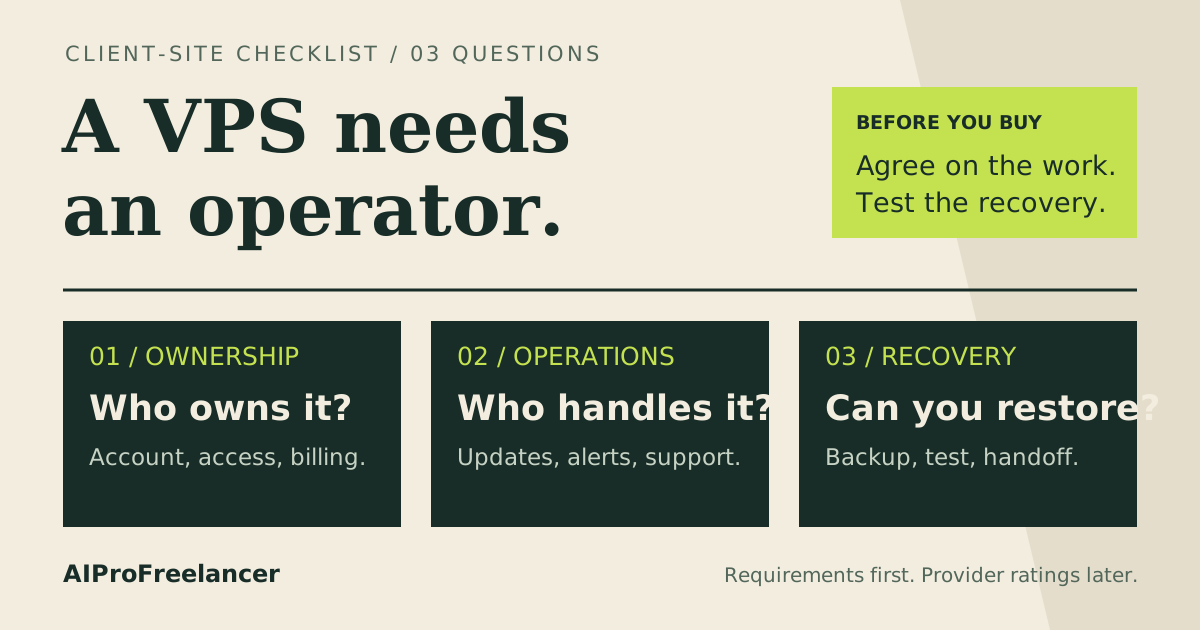
- You cannot patch, back up or restore the server: choose a managed n8n product instead of a self-managed VPS. Hostinger says its separate Managed n8n product handles security and automatic updates; verify its current price and included service before buying.
RAM and database decisions that change the plan
For modest workflows that pass small records between APIs, 4 GB is a reasonable starting allocation to evaluate, not a guarantee. Large file processing, manual runs that load results into the editor, Code nodes and simultaneous executions can increase memory use. Reduce oversized payloads and inspect the container and host memory before upgrading.
The current n8n Docker Compose guide , checked November 15, 2026, requires at least 4 GB RAM and 2 vCPUs for its Assistant sandbox stack. It says the included sandbox is for development and testing, not production, because the runner uses privileged Docker-in-Docker with weak isolation. Do not treat KVM 2 meeting the headline specs as a production security approval.
SQLite is suitable for trying n8n. The same guide recommends PostgreSQL for a production instance with more than a handful of users or workflows running around the clock. PostgreSQL does not have a separate license fee, but it uses disk, memory and backup capacity. KVM 2’s extra resources make it the more sensible starting point if you will run both services together. For a general container checklist, see Best Cheap VPS for Docker ; for memory sizing across workloads, see How Much RAM Does Your VPS Need? .
FAQ
These questions are based on real public discussions, including a recent 2 vCPU and 4 GB sizing question , a report of n8n failing on a 2 GB server and a discussion of hosting Postgres beside n8n . The answers below are buying guidance, not claims about those users’ performance.
Would 2 vCPU and 4 GB RAM be enough to start?
For light workflows, it is a practical starting size, but load depends on payload size and overlap. It also meets the current n8n Assistant sandbox guide’s listed hardware baseline; that development sandbox should run on an isolated host.
Can n8n run on a 2 GB VPS?
It can run a small setup, but 2 GB leaves less room for the operating system, Docker and a database. A community thread reports an install killed on a 2 GB server. Choose 4 GB when the service matters, and measure your own executions.
Should I run PostgreSQL on the same VPS as n8n?
For a small private deployment, you can, if the plan has room and you maintain both services and their backups. n8n recommends Postgres for production with more than a handful of users or always-on workflows. Keep the database out of the n8n Assistant development sandbox host.
Why does n8n run out of memory with only a few workflows?
One run can carry large JSON or binary payloads, use a Code node, or overlap another run. Reduce data passed between nodes, avoid loading large execution results in the editor, and check memory use before adding RAM.
Is the self-hosted n8n software free for client work?
The Community Edition is free when you build and operate workflows for clients on your instance and clients only receive the outputs. If clients can access n8n or configure workflows, check n8n’s license rules and get the required commercial license.
If you want to compare Hostinger plan sizes before committing, read KVM 1 vs KVM 2 . For this n8n shortlist, choose by deployment, support responsibility and the renewal invoice, not the workflow count alone.