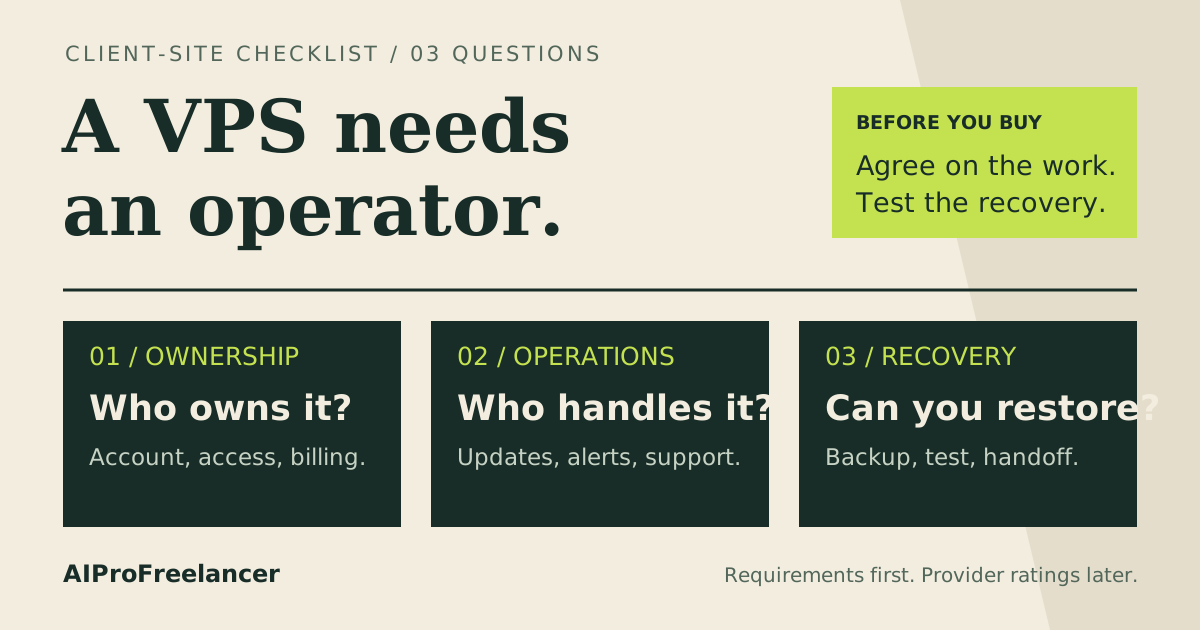
Best starting shortlist for a small Minecraft group: Hostinger Game Panel 2 if you want a panel, or KVM 2 if you can administer Linux yourself. Choose the smaller tier only for a light vanilla world; consider UltaHost instead when an agreed server-management scope matters more than memory per dollar. See Hostinger plans
Affiliate disclosure: Hostinger purchase links are referral links. We may earn a commission from an eligible purchase at no extra cost to you. Read our disclosure .
Based on official pricing and documentation checked October 30, 2026; capacity guidance below is a buying estimate, not a measured player limit.
Cheap Minecraft VPS plans: what you actually pay
For a friends-only world, start by deciding whether you want to maintain a Linux server or use a game panel. The cheapest general VPS and the cheapest Minecraft-oriented plan are separate products. A lower price is useful only if you can manage the software it buys.
The following USD figures and resources come from the official Hostinger VPS pricing source and Minecraft Game Panel pricing source , checked October 30, 2026. All displayed Hostinger offers below require payment upfront for 24 months.
| Plan | Intro monthly equivalent | Upfront payment | Renewal monthly equivalent, same term | vCPU / RAM / NVMe | Best buying fit |
|---|---|---|---|---|---|
| Hostinger KVM 1 | $6.49 | $155.76 | $11.99 | 1 / 4 GB / 50 GB | Light vanilla world; Linux administrator |
| Hostinger KVM 2 | $8.79 | $210.96 | $14.99 | 2 / 8 GB / 100 GB | More memory headroom; manual administration |
| Hostinger Game Panel 1 | $6.99 | $167.76 | $11.99 | 1 / 4 GB / 50 GB | Small vanilla world with a panel |
| Hostinger Game Panel 2 | $9.49 | $227.76 | $14.99 | 2 / 8 GB / 100 GB | Small group wanting easier game management |
| Hostinger Game Panel 4 | $13.99 | $335.76 | $28.99 | 4 / 16 GB / 200 GB | Larger world or memory-heavy modpack shortlist |
Hostinger advertises a 30-day money-back guarantee on both source pages; this is a paid purchase, not a free trial. Check the final currency, taxes, selected term and refund conditions before paying. The advertised monthly equivalent is not a monthly invoice.
For comparison, the official UltaHost VPS pricing source , checked October 30, 2026, lists VPS Basic at $5.52/month for two years, with 1 CPU core, 1 GB RAM and 30 GB NVMe, renewing at the same displayed monthly rate for that term. That is a lower entry price, but its memory is below Hostinger’s vanilla Minecraft guidance. UltaHost Professional lists 3 CPU cores, 4 GB RAM and 75 GB NVMe at $15.87/month on the displayed two-year offer, with the same displayed renewal rate. Its managed positioning is the reason to investigate it, rather than assuming its cheapest tier is a comparable Minecraft server.
Specs per player count: buy for concurrent players
Count people playing at once, not everyone in your Discord. Also write down the edition, world size and exact modpack before ordering. A small group exploring new terrain can behave differently from the same group building near spawn.
Hostinger’s official Game Panel sizing guide , checked October 30, 2026, recommends about 4 GB RAM for basic vanilla, 4–6 GB for up to 10 players with a small world, and 8 GB or more for larger worlds and more players. It recommends 6–8 GB for mods or resource packs. The table translates those broad recommendations into a purchase shortlist; the provider does not publish an exact capacity guarantee for each player band.
| Concurrent-player scenario | Memory basis from official guidance | Plan to evaluate | What changes the decision |
|---|---|---|---|
| Up to 10, light vanilla and small world | 4–6 GB | Game Panel 1 for the lightest setup; Game Panel 2 for headroom | System overhead, exploration and extra services |
| More than 10, larger vanilla world | 8 GB or more | Game Panel 2 first; evaluate Game Panel 4 if the world needs more | World complexity and activity matter alongside count |
| Any count with mods or resource packs | 6–8 GB as the provider’s starting guidance | Game Panel 2; larger tier if the pack requires it | Follow the specific modpack’s requirements |
| Public community with uncertain peak demand | No fixed per-player figure established | Validate the workload before a long commitment | Moderation, backups, CPU load and growth |
The vCPU and disk specifications for these plans are in the price table above. They describe purchased resources, not proof of game performance. Do not turn a RAM recommendation into a promise that every modpack will support the same group.
For memory allocation, Hostinger’s official RAM configuration guide , checked October 30, 2026, says to reserve at least 512 MB for other server operations and adjust the game memory limit manually after a plan upgrade. Leave additional headroom if the panel or other processes need it. Buying an 8 GB VPS does not mean assigning all its memory to Java.
Who should choose Hostinger, and who should not?
Choose Game Panel 2 when your priority is creating and managing a private world without building every administration step yourself. Hostinger lists root access, mod support and one-click installation on its Minecraft product page. The panel is useful when you want to manage an instance and its settings through a browser.
Choose KVM 2 when you already maintain Linux and want control over the server software. It is the cheaper displayed route to the same headline CPU, RAM and storage allocation. The tradeoff is your time: installation, updates, access control, backups and recovery still need an owner.
Choose the smallest tier cautiously. The entry price is attractive for a light world, but the official small-group RAM range extends beyond its total memory. The operating system needs some of that memory too. If you expect plugins, exploration and friends joining regularly, the larger tier deserves the first look.
Skip this purchase if nobody will handle maintenance or if the upfront invoice exceeds the group’s budget. A long promotional term is poor value for a server you abandon after a brief holiday. Ask about a shorter term and compare its actual invoice before committing.
For the general tradeoff between these tiers, read Hostinger KVM 1 vs KVM 2 .
Compare Hostinger plans for your player group
Hostinger vs UltaHost: when support changes the choice
Hostinger is the stronger initial shortlist here for a buyer prioritizing the displayed memory allocation and a Minecraft-specific panel. UltaHost deserves consideration when you need help with server administration and can obtain a clear agreement about the tasks included.
Ask UltaHost whether support covers your Minecraft edition, Java runtime, mod loader, game crashes and restoration of the world. A managed VPS description does not tell you whether staff will diagnose a conflicting plugin. Get that scope before choosing a longer billing term.
Compare a suitable configuration rather than the cheapest card from each provider. UltaHost Basic’s low price does not make its memory equivalent to a larger Hostinger plan. Conversely, resource totals do not establish which provider will run your particular world faster. Our UltaHost vs Hostinger comparison explains the wider administration tradeoff.
How to test it yourself in 15 minutes
Use this as an initial acceptance check after provisioning and installing the intended server software. It is not a full load test. Hostinger’s official instance setup guide , checked October 30, 2026, describes creating a Game Panel instance, selecting the edition and connecting through its displayed endpoint.
- Open the correct instance. Confirm the edition and game version match your clients. Start with a private or allowlisted world, and keep administrator access restricted.
- Load your real configuration. Import a backup copy of the world and the intended plugins or mods. An empty demonstration map will not represent your existing save.
- Invite the expected group. Have people explore, build and use the features that matter to them. Watch the panel’s memory and CPU readings and note when problems appear.
- Check settings before buying more resources. Review view distance, simulation distance and player limits. The official server.properties guide , checked October 30, 2026, explains these controls. Change one setting at a time so you can interpret the result.
- Save and restart. Confirm the world persists and players can reconnect. Schedule a separate backup-and-restore rehearsal before treating the server as ready for regular use.
Record the game version, mod list, concurrent players, settings and observations. Repeat during a normal busy session before deciding whether to keep or upgrade the plan. An upgrade should solve an observed resource constraint, rather than simply increase the bill.
FAQ
How much RAM does a Minecraft server for 10 players need?
Hostinger’s sizing guide recommends 4–6 GB for up to 10 players with a small world. Account for system memory as well; Game Panel 2 provides more room than the entry tier if you expect growth or customization.
Can a cheap VPS run a modded Minecraft server?
Yes, if it meets the pack’s requirements and you can administer it. Hostinger’s broad mod guidance starts at 6–8 GB; use the pack author’s requirements and your actual world to decide whether that is sufficient.
Is Game Panel the same as ordinary VPS hosting?
It adds a game-oriented management workflow. Compare the product selected at checkout: the Game Panel and KVM offers have different displayed introductory prices even when their headline resources match.
Does unlimited player support mean unlimited capacity?
No. A slot setting controls admission; hardware still limits the work the server can perform. Set the allowed player count around a workload you have checked with the intended world and settings.
Should I choose Java or Bedrock?
Choose the edition your group uses. Hostinger’s setup guide offers separate Java and Bedrock instances; check client compatibility and your desired mods before creating the world. Do not assume a single instance automatically connects every edition or console.
Which plan should you buy?
For a private Minecraft group, shortlist Game Panel 2 for the panel workflow or KVM 2 for manual Linux administration. Consider the entry tier for a light vanilla world, and evaluate a larger plan when the world or modpack requires it. Keep the upfront payment, renewal and a recovery plan in the decision.
Start with Hostinger’s plan comparison
Before choosing a longer term, read the Hostinger VPS discount and renewal guide to separate the promotional rate from the ongoing cost.