Editorial update, October 8, 2026: We removed the previous provider ranking, star rating, price examples, latency claims and automatic-restart assurances. We have not benchmarked these providers against a broker or tested a trading terminal on their plans. This page evaluates infrastructure questions, not trading strategies or investment returns.
Affiliate disclosure: The UltaHost link below is an affiliate link. We may receive a commission from an eligible purchase. That relationship does not establish compatibility or performance. Hostinger links are ordinary vendor links; we have not verified an approved affiliate relationship.
Start with the application, not a provider ranking
Write down the exact terminal version, operating system, number of application instances, plug-ins and intended workload. Ask the application publisher and your broker which deployment environments they support. A generic VPS product name does not prove that a particular Windows image, license or application is included.
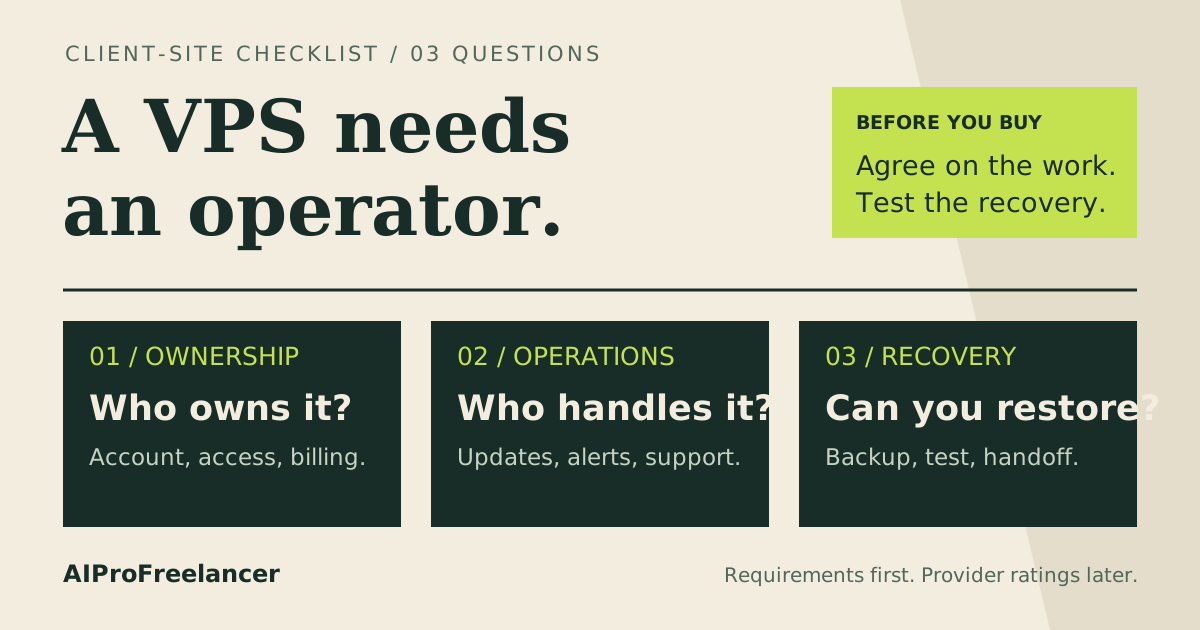
If nobody can maintain the environment, resolve that operating responsibility before choosing a plan. A remote server introduces its own access, update and recovery tasks.
Collect these answers before checkout
| Decision | Evidence to collect | Leave unresolved until confirmed |
|---|---|---|
| Application compatibility | Publisher requirements and the provider’s exact OS image/version | Support for your terminal and plug-ins |
| Windows licensing | Written quote describing license inclusion and renewal | Whether the advertised base price covers Windows |
| Capacity | Demo workload measurements with your intended instances | Required RAM, CPU and storage; no universal 2 GB rule |
| Connectivity | Broker endpoint confirmation and a dated test from the proposed server | End-to-end latency, packet loss and stability |
| Availability | SLA wording, exclusions, maintenance policy and remedy | Actual observed uptime or uninterrupted application operation |
| Operating owner | Named person responsible for updates, access and alerts | Whether provider support includes application recovery |
| Recovery | Backup scope, restore process and a recorded rehearsal | Whether restoring files also restores a usable application |
| Total cost | Checkout and renewal invoice including licenses and add-ons | Monthly cost, refund eligibility and cancellation terms |
A location label or a provider’s network advertisement is not a measurement of your path to a broker. Record the endpoint, test time and method; do not infer order execution quality from a network test alone.
Read “managed” as a written scope
Ask who handles operating-system updates, application updates, access failures, reboots, backup checks and incident escalation. An infrastructure SLA and application monitoring describe different responsibilities. Do not assume a terminal or automation will restart correctly after an update.
Hostinger’s self-managed VPS documentation describes the split between provider infrastructure and user software responsibility. Read its backup and restore documentation separately before relying on recovery. These documents do not establish that a quoted plan supports your application or Windows requirements.
See our managed WordPress and self-managed VPS responsibility guide for an example of assigning operating tasks. WordPress-specific management is not equivalent to managing a trading terminal.
Validate a demo environment before committing
Use a demo account and a bounded test plan. Record application compatibility, resource consumption, connectivity and what happens during a planned restart. Check whether the application returns to the expected state and whether the designated operator receives an alert when it does not.
Keep a recovery record with the operator, access recovery route, backup location and support contact. Do not put broker credentials or account details in a shared worksheet. A successful demo test only supports the tested configuration and period; it does not establish future uptime, profitable trading or live execution quality.
Where to request a quote
If UltaHost is on your shortlist, request the exact plan details from UltaHost . Ask for the OS/license, location, support scope, renewal total and refund eligibility in writing. This is a quote request, not a best-provider verdict.
Read UltaHost’s terms and refund policy before checkout. Payment methods can affect refund eligibility; do not treat crypto payment as proof of anonymity or a refundable trial.
For another starting point, visit Hostinger and verify compatibility against its current documentation. Do not assume that a Linux VPS offer includes a supported Windows deployment.
Frequently asked questions
How much memory should I buy?
Use the application publisher’s requirements and measurements from your intended demo workload. We have no measurements that justify a universal memory recommendation for multiple terminals, plug-ins or automation.
Does an uptime SLA keep my terminal running?
Review exactly what the SLA covers and what remedy it offers. Separately assign application monitoring, restart testing and recovery. We have not verified continuous terminal operation on these plans.
Is a nearby data center enough?
Confirm the actual broker endpoint and test the proposed route. City names alone do not prove latency or execution quality.
Which provider is best?
We cannot establish a winner without comparable quotes and relevant tests. Choose only after compatibility, ownership, recovery and total cost are documented. If a requirement remains unknown, keep the purchase decision open.