Best for an API-based AI agent with a database: Hostinger KVM 2. Choose KVM 1 for a lean standalone bot; pick UltaHost instead when you need an agreed server-management scope.
If you plan to host the model locally as well as the agent, read our Ollama VPS guide first. A VPS that only runs an API-based agent has very different memory and CPU needs from one keeping a language model loaded.
Affiliate disclosure: The Hostinger referral links may earn us a commission on a qualifying purchase at no extra cost to you. Read our affiliate disclosure .
Based on official documentation and USD pricing checked October 30, 2026; workload recommendations are editorial judgments.
Compare the plans you would actually buy
An always-on agent needs somewhere to run its scheduler, tools and saved state. Start by separating a bot that calls a model API from a server expected to run the model itself. This shortlist targets the former.
| Plan | Advertised monthly rate and term | Renewal shown | CPU / RAM / NVMe | Best fit |
|---|---|---|---|---|
| Hostinger KVM 1 | $6.49; 24 months, $155.76 upfront | $11.99/month, same term | 1 vCPU / 4 GB / 50 GB | Lean API bot without a busy companion stack |
| Hostinger KVM 2 | $8.79; 24 months, $210.96 upfront | $14.99/month, same term | 2 vCPU / 8 GB / 100 GB | Agent, database and supporting containers |
| UltaHost VPS Basic | $5.52; displayed two-year offer | $5.52/month for two years | 1 CPU / 1 GB / 30 GB | Small bot with an agreed management scope |
| UltaHost VPS Professional | $15.87; displayed two-year offer | $15.87/month for two years | 3 CPU / 4 GB / 75 GB | Buyer seeking managed-server help and more memory |
Sources for every price and resource figure in the table: Hostinger official VPS pricing and UltaHost official VPS plan cards , checked October 30, 2026. UltaHost’s banner says $5.51; its Basic card says $5.52, used here. Confirm currency, taxes, extras and the selected term before paying.
Neither page shows a free trial in the offers compared here. A money-back headline is a paid purchase with conditions, not free testing; read the selected term’s refund policy. Hostinger bills the displayed term upfront. UltaHost markets these servers as managed, while Hostinger’s management documentation , checked October 30, 2026, describes its VPS plans as self-managed.
Why Hostinger KVM 2 is the main recommendation
Choose KVM 2 when the deployment includes an agent, a database, a reverse proxy and background work. My preference is to leave room for those services to coexist rather than size the server around an idle agent process. A workflow importing documents while another handles a request creates a different load from a bot waiting for a message.
That recommendation is about a sensible starting configuration, not a promised number of agents. Write down the services you will deploy, their published requirements and which jobs overlap. If the application is already running locally, observe it during an ordinary busy period before selecting a tier.
There is a concrete reason to inspect the exact installation guide. The current n8n Docker Compose guide , checked October 30, 2026, specifies at least 4 GB RAM and 2 vCPUs for its setup including the Assistant sandbox stack. KVM 1 misses that CPU requirement; KVM 2 meets those headline requirements. Compatibility and production configuration still need checking, especially for privileged sandbox components.
For a narrower comparison of the entry tiers, read Hostinger KVM 1 vs KVM 2 . Use the actual deployment requirements to make the final choice.
When KVM 1 is the better buy
Choose the smaller tier if your program mostly waits for a scheduled event, sends a request to an external model and stores a modest amount of state. A simple notification bot is a better candidate than an agent launching browsers, processing documents and serving an application together.
Avoid installing extra services just because a template makes them available. A database, search service and dashboard each add maintenance work. Begin with the components the bot requires, then add services when a real workflow needs them. This keeps the first deployment easier to inspect and recover.
Do not select KVM 1 for the full n8n Assistant Compose setup described above. Likewise, do not assume a successful startup proves that a larger workflow will fit. Make your buying decision after a representative execution, including its busiest step.
Compare Hostinger plans for your agent stack
Who should choose UltaHost, and who should not?
Shortlist UltaHost when server administration is the part you want help with. Before buying, describe your runtime, containers, database, update process and recovery needs to support. Ask which tasks the managed service covers and keep the answer with the quote.
The cheapest plan is not an equivalent substitute for KVM 2. Basic has a much smaller memory allocation, so a lower headline bill may leave you pricing an upgrade immediately. Compare the suitable tier and support scope together. For this shortlist, Hostinger is my first choice for a developer operating their own stack; UltaHost is the alternative for a buyer prioritizing an explicit management arrangement.
Skip UltaHost if you expect server management to include debugging custom agent logic without agreement. A host resolving a server fault and a developer fixing a tool invocation are different responsibilities. Our Hostinger vs UltaHost comparison expands on the buying tradeoffs.
Who should not buy a VPS for an AI agent?
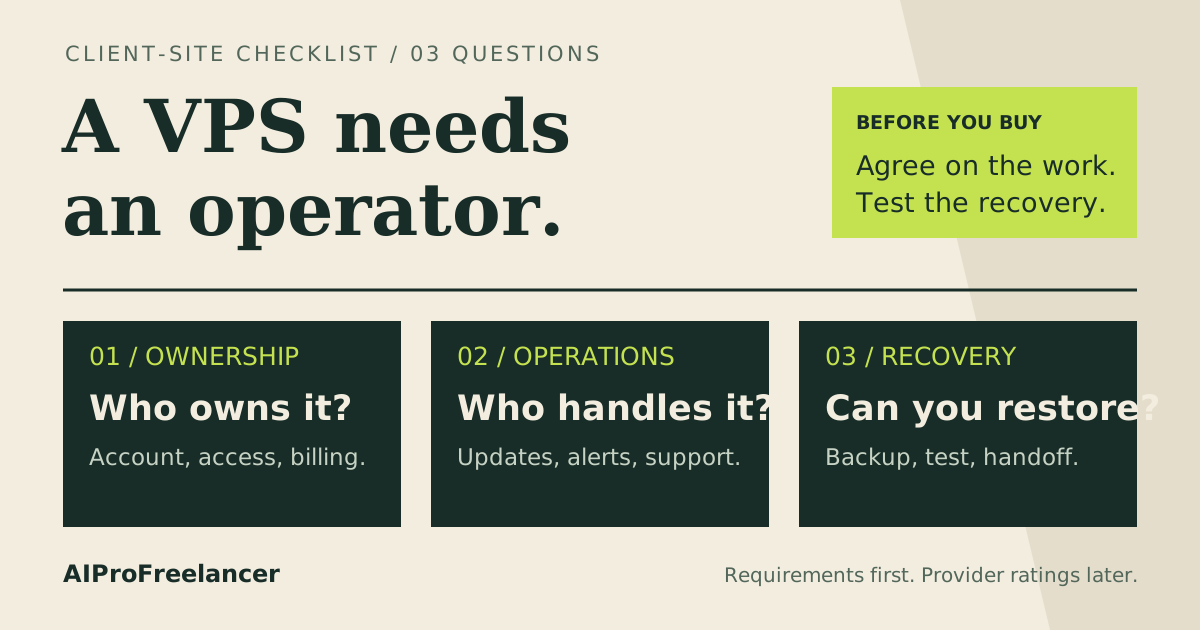
Avoid a self-managed VPS if nobody will own updates, access control and recovery. An installer can create an application; it cannot decide which actions your agent should be allowed to take. Hostinger’s self-managed scope means that responsibility remains with you.
Also pause if your objective is local model inference. Identify the model’s memory, accelerator and runtime requirements first. An agent using a remote API and a locally hosted model have different infrastructure needs. Do not buy a general VPS on the assumption that its RAM figure guarantees useful inference speed.
If the workflow only runs occasionally, establish why it needs an always-on server before committing to a long prepaid term. The hosting bill should solve a specific problem, such as receiving webhooks while your computer is off, rather than become another subscription waiting for a use case.
Budget for the whole workflow
Keep hosting and model usage on separate budget lines. Estimate the actual workflow: how often it runs, which tools it calls, what happens after an error and who checks unexpected activity. Hosting capacity alone does not control the cost of a repeated model call.
Set a spending limit with your model provider where available, and design a way to stop the worker. Give retries a clear stopping condition. An agent that repeatedly attempts a failed task can keep consuming resources without producing useful output.
For an always-on service, define what successful operation means. Record completed jobs and failures, arrange an alert for a stopped worker, and decide how to handle interrupted work. A process that remains alive while its credentials have expired is not delivering the intended service.
How to test it yourself in 15 minutes
Use this as an initial acceptance check after provisioning and installation; a fresh secure deployment may take longer. Use harmless sample data and a workflow that cannot publish, send messages or spend money.
- Minutes 0–3: inventory the deployment. Confirm the selected plan, installed services and persistent storage locations. Save the application configuration separately from secrets. Follow the current official installation guide for your chosen stack.
- Minutes 3–6: run one representative task. Choose a sample that exercises the agent’s tools and state storage. Inspect resource use during execution, not just while it waits. Record observations without treating one run as a benchmark.
- Minutes 6–9: check recovery. Restart the application through its normal service manager. Confirm saved state remains available and the scheduler resumes. Check whether interrupted work is retried or needs manual review.
- Minutes 9–12: inspect access and errors. Confirm administrative access is restricted and secrets are absent from shared logs. Simulate a harmless tool failure and check that it produces a useful alert rather than repeated uncontrolled attempts.
- Minutes 12–15: make the buying decision. Record missing dependencies, exhausted resources and unresolved support questions. Keep the plan only if the stack fits and every maintenance task has an owner; otherwise change the design before committing further.
For n8n, the official Compose guide linked above covers persistent data and recommends PostgreSQL for a production instance handling ongoing workloads. Back up the state your application actually needs and verify a restore separately. Schedule a longer run covering normal busy periods after this first check.
FAQ
These questions adapt topics from the public Hostinger VPS FAQ and n8n installation documentation cited above; they are not presented as private Search Console query data.
Can an AI agent keep running when my laptop is off?
Yes, if the agent and its required services run on the VPS. Remove dependencies on files, tunnels or processes that exist only on your laptop. Verify this by disconnecting the laptop and checking a harmless scheduled task through the server’s logs.
Is KVM 1 enough for n8n and AI agents?
It is a candidate for a lean API bot, subject to its own requirements. The full n8n Assistant Compose setup cited above requires more CPU than KVM 1 provides. Match the installation variant to the plan rather than treating every n8n deployment as identical.
Does VPS hosting include the AI model subscription?
Budget model access separately unless the specific offer explicitly includes it. Decide whether the application calls an external model or hosts one locally before comparing infrastructure costs. The VPS plan prices here are hosting prices.
Will a managed VPS fix my custom bot?
Ask for the scope in writing. Server assistance may be valuable, but it does not establish that the host will maintain your prompts, integrations or application code. Choose UltaHost when its confirmed scope matches the work you need covered.
Which plan should I start with?
Choose Hostinger KVM 2 for an API-based agent stack with supporting services, or KVM 1 for a lean bot whose requirements fit. Choose UltaHost when agreed management help matters more. Keep renewal and maintenance in the decision alongside the introductory price.