A free account is a useful starting point when it can produce the client’s required deliverable. It is not a promise that every asset, export, collaborator or future project will be free. This guide is a selection checklist, not a hands-on ranking of 17 tools. The earlier universal free-plan claims and an unconnected newsletter signup invitation have been removed.
Define the deliverable first
Write down the file format, editability, resolution, recipient access and revision process. If the client needs an editable presentation, a flattened image is not equivalent. Use the presentation handoff guide to record what must remain editable.
Inspect the plan you will actually use
Canva’s pricing page and Figma’s pricing page , checked October 8, 2026, separate free or starter access from paid plans. They are sources for plan comparison, not proof that either free plan fits every client job. Review the current conditions for your account and required workflow before committing.
| Decision | What to verify |
|---|---|
| Deliverable | Required export format and any watermark or asset restrictions |
| Capacity | Project, storage and usage allowances relevant to the job |
| Collaboration | Who can view, edit, approve and retain access |
| Rights | Applicable licenses for the exact assets and intended use |
| Ownership | Client access, export and what happens when your account closes |
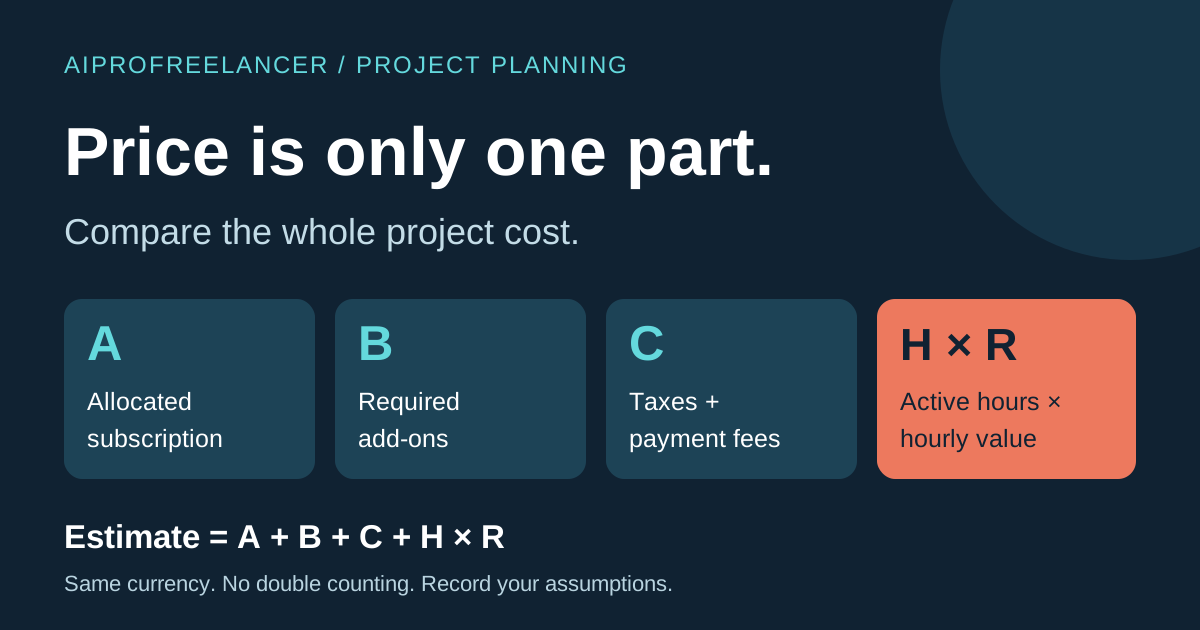
| Cost | Upgrade trigger, billing term and who approves the expense |
Record the source and date beside each answer. Leave unverified limits unknown. Do not assume that a trial, promotional credit and an ongoing free plan have the same conditions.
Run a small acceptance check
Use appropriate sample material to create one representative deliverable. Have the intended recipient open it in their workflow. Record missing fonts, editability problems, export limitations and unresolved permission questions. An advertised feature is not a completed client acceptance test.
Keep costs and ownership visible
Use the project cost worksheet to record subscriptions, external assets and revision effort. For a newsletter project, use the export and client acceptance checklist . For a website leaving an agency account, use the WordPress site transfer checklist .
This page has no affiliate referral CTA and no newsletter signup form. Related articles may contain disclosed affiliate links. No purchase is required to use the blank worksheets, and they do not prove that a tool passed a test.