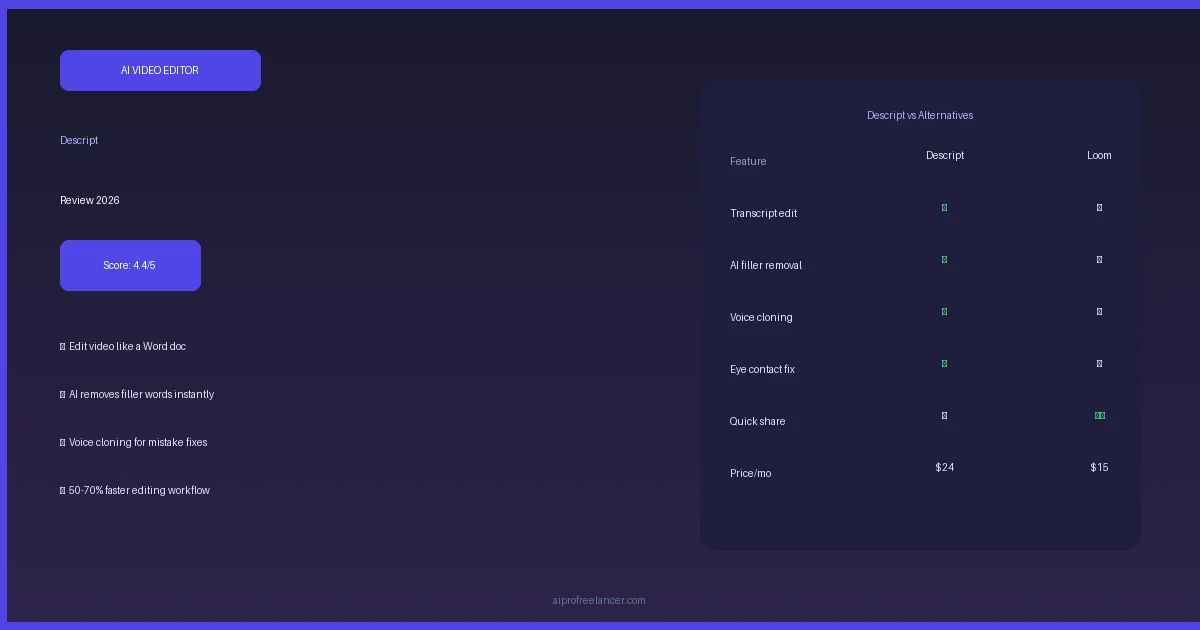
Editing a 30-minute podcast used to take 3 hours. Trimming silences, cutting filler words, removing background noise, adding captions — all manual, all tedious. Descript cuts that to 30 minutes by letting you edit audio and video the same way you edit a Word document.
I’ve used Descript for 2 months to edit video reviews, podcast clips, and screen recordings. This is the honest verdict on whether it’s actually worth $24/month in 2026.
What Is Descript?
Descript is an AI-powered video and audio editor built around one core idea: transcribe first, edit the transcript, and the video follows.
Instead of scrubbing a timeline to find where you stumbled over a word, you read the auto-generated transcript and delete the line. The video cut happens automatically.
Beyond that, Descript handles:
- Screen recording with AI-powered background removal
- Overdub — AI voice cloning to fix mistakes without re-recording
- Underlord AI — one-click filler word removal, silence trimming, and eye contact correction
- Captions and subtitles with automatic speaker labeling
- Clip creation from long videos for social media
Descript targets podcasters, YouTube creators, course creators, and anyone who records their screen for tutorials or demos.
Key Features in 2026
Transcription — Edit by Reading
Descript’s core feature: upload a video or audio file → Descript transcribes it in near real-time → you edit the transcript to edit the media.
Accuracy: In my testing with English content, Descript’s transcription accuracy was 95%+. Technical terms and proper nouns occasionally need correction, but the overall quality is high enough that transcript editing genuinely saves time.
Speed: A 30-minute video transcribes in about 90 seconds.
Languages: 23 languages supported. English is the most accurate; other languages work but with lower accuracy than English.
Underlord AI — One-Click Fixes
This is where Descript’s 2026 update shines. “Underlord” is their AI assistant that can:
Remove filler words: Select all “uh,” “um,” “like,” “you know” instances → delete in one click. In a 10-minute recording, this typically removes 2–3 minutes of dead air.
Trim silences: Automatically detect and compress pauses longer than X seconds. I set it to 0.5 seconds — a 20-minute rambling explanation became a tight 16-minute video.
Eye contact correction: AI adjusts your gaze to look directly at the camera even if you were reading notes slightly off to the side. Subtle but impactful for talking-head videos.
Studio Sound: One-click background noise removal and audio enhancement. Works on laptop microphones — genuinely impressive results.
Remove background: Replace your webcam background without a green screen. Not perfect for complex backgrounds but works well for home office setups.
Overdub — AI Voice Cloning
Record 10 minutes of yourself speaking → Descript trains an AI voice clone.
Use case: You record a 15-minute video, then realize you mispronounced a product name 8 times. Instead of re-recording the whole video, you type the correct word → Overdub inserts your AI voice saying it correctly.
Quality: Natural-sounding for short corrections (1–5 words). For full sentence replacements, you can hear a slight AI quality difference, but it’s acceptable for most online content.
Ethics note: Descript requires you to consent to cloning your own voice. You can’t clone other people’s voices.
Screen Recording
Descript’s screen recorder is built-in: record screen + webcam simultaneously, with automatic transcription when you’re done.
What makes it different from Loom: After recording, you’re immediately in Descript’s editor. Trim silences, remove filler words, add captions — all before sharing. Loom focuses on quick share; Descript focuses on polished output.
For tutorial content creators and SaaS onboarding videos, this workflow is genuinely superior to Loom.
Clip Creation for Social Media
Clips feature: Upload a long YouTube video or podcast → Descript identifies 10–15 high-engagement moments → generates short clips with captions for TikTok, Reels, and Shorts.
In practice: I uploaded a 45-minute interview → Descript surfaced 12 clip suggestions in about 3 minutes. Quality varied — about 6 of the 12 were genuinely shareable, the rest needed manual selection. Still faster than watching the full recording to find clips.
Captions and Subtitles
Auto-generated captions with speaker labeling, style customization (font, color, position), and export to SRT/VTT formats for upload to YouTube.
Quality: Very good for English. Speaker labels work well with 2–3 speakers; gets confused with 4+ people talking at once.
Descript Pricing 2026
| Plan | Price | Key Features |
|---|---|---|
| Free | $0 | 1 hour transcription, watermarked export |
| Hobbyist | $12/month | 10 hours transcription, no watermark, 1 Overdub voice |
| Creator | $24/month | 30 hours, Underlord AI, eye contact, unlimited Overdub |
| Business | $40/user/month | Unlimited, team features, priority support |
Annual billing saves ~20% on all paid plans.
What you actually need:
- Occasional YouTube creator: Hobbyist at $12/month
- Regular content creator (weekly videos): Creator at $24/month
- Team/agency: Business at $40/month
The Creator plan is the sweet spot — Underlord AI (filler removal, silence trimming) alone saves 30–60 minutes per video. At $24/month, that pays for itself if you value your time at more than $20/hour.
Descript vs Loom vs CapCut vs Riverside
| Feature | Descript | Loom | CapCut | Riverside |
|---|---|---|---|---|
| Transcript editing | ✅ Core feature | ❌ | ❌ | ✅ |
| Screen recording | ✅ | ✅ | ❌ | ✅ |
| AI filler removal | ✅ Underlord | ❌ | Limited | ✅ |
| Voice cloning | ✅ Overdub | ❌ | ❌ | ❌ |
| Eye contact fix | ✅ | ❌ | ❌ | ❌ |
| Social clip creator | ✅ | ❌ | ✅ | ✅ |
| Collaboration | ✅ | ✅ | ❌ | ✅ |
| Price (creator tier) | $24/mo | $15/mo | Free/$10 | $19/mo |
| Best for | Long-form editing | Quick share | Social clips | Podcast recording |
vs Loom: Loom is faster for “record and share immediately.” Descript is better when you want a polished final product. Not the same use case.
vs CapCut: CapCut wins for social-first short-form content and free usage. Descript wins for anything over 5 minutes that needs editing.
vs Riverside: Riverside is the better recording platform (separate audio tracks per speaker, better remote recording quality). Descript is the better editing platform. Many podcasters record in Riverside, edit in Descript.
Real Tests: 3 Use Cases
Test 1: 20-minute software tutorial
Recorded screen + webcam for a software walkthrough. Raw recording had filler words, 30-second tangents, and a 2-minute section I wanted to cut.
- Transcription: 2 minutes
- Filler word removal (Underlord): 45 seconds, removed ~85 “ums”
- Silence trimming: Reduced 20-min to 17:30
- Manual cuts: 8 minutes (found the tangent in transcript, deleted it)
- Add captions: 3 minutes
- Total editing time: ~15 minutes for a polished 15-minute video
Without Descript: estimated 60–90 minutes.
Test 2: Podcast episode (45 minutes, 2 speakers)
Imported MP4 from Riverside recording.
- Speaker labels: 95% accurate (mixed up twice when both spoke simultaneously)
- Filler removal: Removed 140+ instances, saved about 4 minutes of dead air
- Studio Sound: Dramatically improved the guest’s laptop microphone audio
- Clip suggestions: 12 clips generated, 7 were usable
Result: Publishable podcast + 7 social clips in about 45 minutes of editing. Without AI assistance: 2.5–3 hours.
Test 3: Quick screen share (5 minutes)
Used for a client update video — record screen, make 2 cuts, share link.
Verdict: This is where Loom is actually better. For quick “record and share” workflows under 5 minutes, Loom’s one-click sharing is faster. Descript’s workflow overhead isn’t worth it for short clips that don’t need polish.
Who Should Use Descript?
Worth it if you:
- Create YouTube videos 10+ minutes regularly
- Record podcasts or interviews
- Produce tutorial or screen-share content
- Need captions/subtitles for accessibility or social
- Want to extract social clips from long-form content
Skip Descript if you:
- Only need quick screen shares (use Loom)
- Create short-form TikTok/Reels content from scratch (use CapCut)
- Need professional color grading or motion graphics (use DaVinci Resolve/Premiere)
- Budget under $10/month (use CapCut free)
Descript Affiliate Program
Descript runs an affiliate program via PartnerStack:
- Commission structure: Competitive recurring commission
- 90-day cookie window
- Dedicated affiliate dashboard
- Application reviewed within 30 days
Apply for Descript Affiliate →
Pros & Cons
Pros:
- Transcript-based editing is genuinely faster for long-form content
- Underlord AI filler removal works extremely well
- Overdub voice cloning for quick mistake fixes
- Studio Sound audio cleanup is impressive
- Screen recorder + editor in one tool
Cons:
- $24/month is steep if you only edit occasionally
- Eye contact correction looks slightly artificial on close inspection
- Social clip quality is hit or miss (50-60% usable)
- Not a full video editor — no color correction, motion graphics, or multicam
- Steeper learning curve than Loom for simple use cases
Final Verdict: 4.4/5
Descript is the best AI video editor for long-form content creators in 2026. The combination of transcript editing, Underlord AI cleanup, and Overdub voice cloning genuinely cuts editing time by 50–70% for talking-head videos, podcasts, and tutorials.
At $24/month (Creator plan), it earns its cost if you publish at least 2–4 videos per month. The time savings per video alone justify the subscription.
If you publish long-form content regularly and haven’t tried Descript, the free plan is worth testing before committing.
Score: 4.4/5
Disclosure: This post contains affiliate links. If you sign up through our links, we may earn a commission at no extra cost to you. All reviews are based on independent testing.
Related Reviews
Explore more hands-on reviews and comparisons: